Linearity Curve Graphic Design

Linearity Curve Graphic Design Summary
Linearity Curve Graphic Design is a free, with in-app purchases iOS app in Art And Design by Linearity GmbH. Released in May 2017 (9 years ago). It has 69K ratings with a 4.61★ (excellent) average. Based on AppGoblin estimates, it reaches roughly 209K monthly active users and generates around $<10K monthly revenue (100% IAP / 0% ads). Store last updated Aug 4, 2026
Recent activity: -3 new ratings this week View trends →
Linearity Curve Graphic Design SDKs Summary
App not yet scanned for SDKs.
4.61★
Ratings: 69K
Screenshots



App Description
Professional vector art and graphic design software on iPad and iPhone!
Linearity Curve (formerly Vectornator) is a powerful vector graphics editor built for iPad, Mac, and iPhone. Create stunning vector art with precision Bezier tools, design complex illustrations with a full layer system, and vectorize photos or sketches into clean SVG files in seconds. From logos and brand systems to marketing graphics and digital art, Curve gives you professional graphic design tools wherever you go.
VECTOR DRAWING TOOLS FOR PROFESSIONAL WORKFLOWS
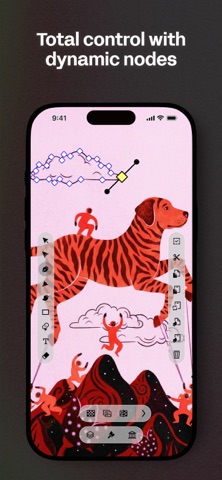
- Bezier Pen and Node tools for smooth, editable vector art at any scale
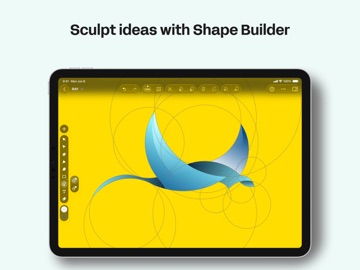
- Shape Builder combines and subtracts shapes with a single tap
- Boolean operations for complex graphics compositions
- Smart guides and customizable grids for pixel-perfect alignment
- Text on path for curved headlines and creative type layouts
- Multiple artboards for logos, posters, pitch decks, and full campaign designs
VECTORIZE ANY IMAGE WITH AUTO TRACE
- Instantly trace and vectorize sketches, photos, illustrations, or scanned artwork into editable vector paths
- Background Removal isolates subjects from any image in one tap
- Convert PNG, JPG, or any image to clean, organized SVG vector files
- Export SVG, AI, PDF, PNG, JPG, and TIFF with properly grouped layers
- Full RGB and CMYK color support for screen and print production
ADVANCED ILLUSTRATION AND DIGITAL ART TOOLS
- Create custom vector brushes for a unique and consistent style
- Gradient tools with linear, radial, and mesh-style
- Layer system with blend modes, opacity, and masking for complex graphics
- Eyedropper and saved color palettes for consistent brand colors
- Snap to grid, guides, and objects for precise vector drawing
BUILT FOR IPAD AND IPHONE
- Apple Pencil support for natural, pressure-sensitive vector drawing
- Touch-optimized interface designed for mobile creativity
- Gesture-based navigation for fluid canvas control
- Optimized for all iPad and iPhone screen sizes
- Cloud sync keeps projects upd
Native iOS performance — fast, responsive, and fluid on every device
Contact: support@linearity.io
Privacy: linearity.io/privacy-policy
Follow us: @linearityhq