Talking Counter
Talking Counter Summary
Talking Counter is a mobile iOS app in Tools by 方 沈. Released in Apr 2017 (9 years ago). It has 1.00 ratings with a 5.00★ (excellent) average. Based on AppGoblin estimates, it reaches roughly 4.00 monthly active users . Store metadata: updated Jun 18, 2024.
Store info: Last updated on App Store on Jun 18, 2024 .
5★
Ratings: 1.00
Screenshots



App Description
Simple and powerful, Count in different ways, Talking in many international languages.
This App includes:
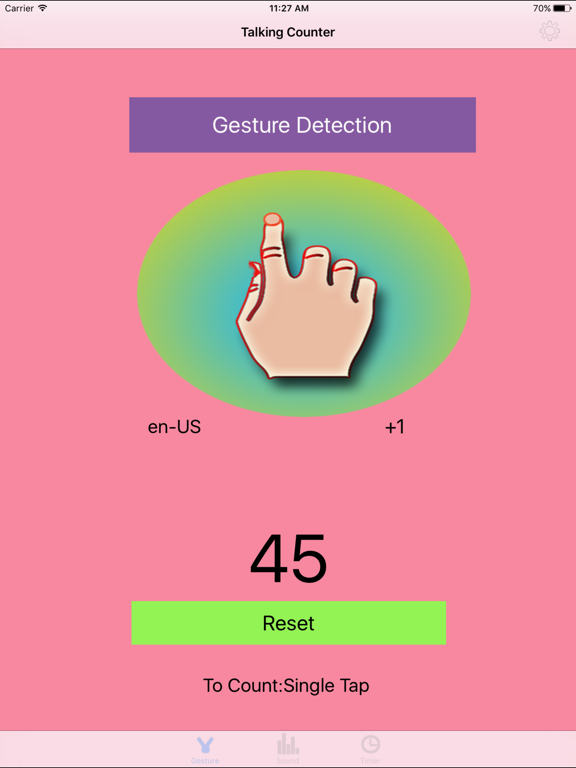
1)13 gesture talking counters
2)one talking counter by sound detection
3)one talking counter by proximity sensor detection (only available for iPhone)
4)every minute count down talking counter.
5)every minute count up talking counter.
6)every second count down talking counter.
7)every second count up talking counter.
In many situations, we need to count one by one. two by two or three by three. For example, we exercise in the work out room, we cook in our kitchen, we do our experiments in the laboratory, we study in the classroom. With the help of this App, we could count easily.
If we travel to other countries, we have to learn to count in some international language. With the help of this App, we could learn to count in new language quickly.
If we have the event to do after several minutes, we could use the timer counter to count down by talking. Also we could select the talking unit between the second unit and the minute unit.
Some times, we like to tap our screen to count. Some times, we like to use other gestures to count such as pinch, double tap or swipe.
Sometimes, we like to count when we are acting or walking, in this case, we could use the proximity sensor detection in this App to count.
(Proximity sensor is only available in iPhone)
Sometimes, we like to count when our iOS devices are two meters away from us, in this case, we could use the sound detection in this App.
The gesture could be :
1 Single Tap
2 Double Tap
3 Pinch
4 Rotation
5 Pan
6 Long Press
7 Swipe Up
8 Swipe Down
9 Swipe Left
10 Swipe Right
11 Swipe Up or Swipe Down
12 Swipe Left or Swipe Right
13 Swipe Up or Down or Left or Right
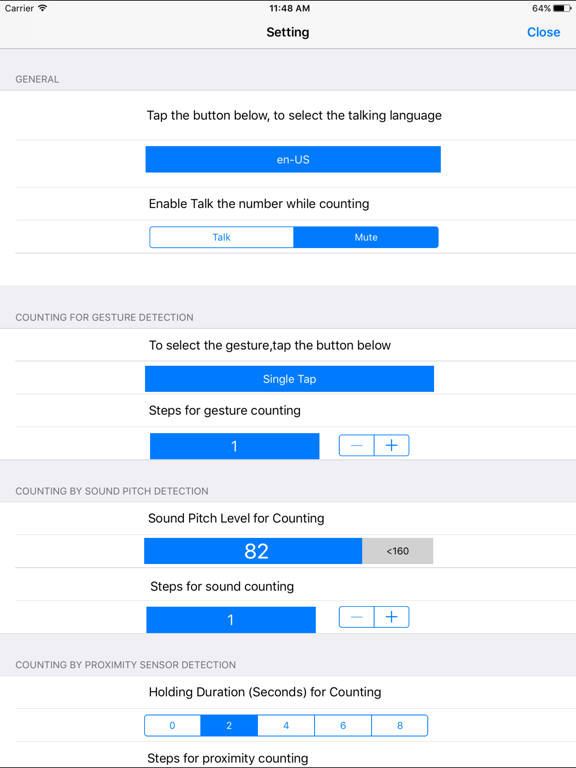
The default talking language in this App is US English. But we could select the following languages from the setting view:
1 Thai
2 Portuguese BR
3 Slovak
4 French CA
5 Romanian
6 Norwegian
7 (fi-FI) Finnish
8 (pl-PL) Polish
9 (de-DE) German
10 (nl-NL) Netherlands
11 (id-ID) Indonesian
12 (tr-TR) Turkish
13 (it-IT) Italian
14 (pt-PT) Portuguese
15 (fr-FR) French FR
15 (ru-RU) Russian
16 (es-MX) Spanish MX
17 (zh-HK) Chinese HK
18 (sv-SE) Salvador SE
19 (hu-HU) Hungarian
20 (zh-TW) Chinese TW
21 (es-ES) Spanish ES
22 (zh-CN) Chinese CN
23 (nl-BE) Dutch BE
24 (en-GB) English GB
25 (ar-SA) Argentina SA
26 (ko-KR) Kore