MMGuardian Parental Control

MMGuardian Parental Control Summary
MMGuardian Parental Control is a free, with in-app purchases iOS app in Lifestyle by Pervasive Group Inc.. Released in Jun 2017 (9 years ago). It has 1.2K ratings with a 4.31★ (good) average. Based on AppGoblin estimates, it reaches roughly 3.3K monthly active users and generates around $<10K monthly revenue (100% IAP / 0% ads). Store last updated Aug 5, 2026
Recent activity: 2.00 new ratings this week View trends →
MMGuardian Parental Control SDKs Summary
App not yet scanned for SDKs.
4.31★
Ratings: 1.2K
Screenshots


App Description
MMGuardian Parental Control helps parents keep their kids safe online. Parents can manage screen time, track location, block apps, and monitor kids phone usage. As a leading parental control app, MMGuardian gives you all the tools to protect your child from digital risks and guide them towards healthy device habits.
This is the app for the parent's phone. Install this app first, and you will be guided to install the correct app for your child's phone (iPhone or non-iPhones).
COMPREHENSIVE MONITORING
- View your child's location, SMS text messages, app usage, call logs, and web browsing history.
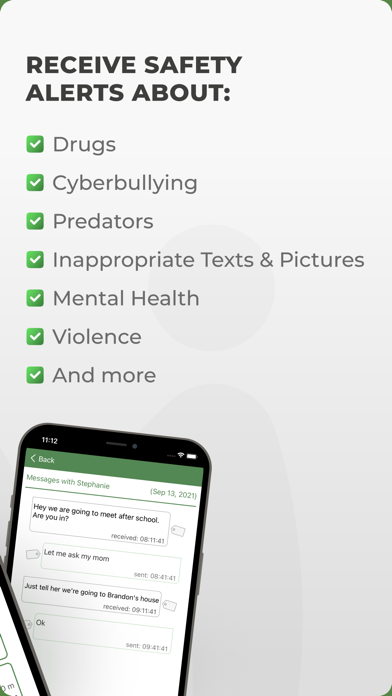
- Receive safety alerts when messages indicate dangers such as sexting, drugs, cyberbullying, grooming, violence, or suicidal thoughts*.
- Monitor phone calls: see who your child is calling and receiving calls from.
MANAGE SCREEN TIME
- Set daily screen time limits.
- Block or allow apps easily with the built-in app blocker.
- Schedule when specific apps can be used to avoid distractions.
SAFE WEB BROWSING
- Block inappropriate websites.
LOCATION TRACKING
- Track your child's phone location in real-time.
- View location history to know where they have been.
- Use the family locator feature to find your child quickly.
DETAILED REPORTS
- Full reports of text messages, call logs, app usage, and web activity.
- Understand your child's phone habits with easy-to-read summaries.
SOCIAL CHAT MONITORING
MMGuardian also monitors messages from popular social media apps:
- WhatsApp
- Kik
And for non-iPhone child phones:
- Facebook Messenger
- Snapchat
- Instagram
- TikTok
- Discord
FREE 14 DAY TRIAL:
Try all premium features free for 14 days. After the trial, continue protecting your child by subscribing:
- $4.99/month or $49.99/year for one child phone.
- Family plans available for up to 5 child devices.
SETUP NOTES:
- Both parent and child phones must use the same email address.
- Both devices need network data for communication.
- Compatible with iPhone or non-iPhone child phones.
- When the child phone is an iPhone, an additional computer app must be installed to get message and call history reports.
We encourage parents to openly discuss using a parental control app with their children. Explain how it helps protect them from risks such as screen time addiction, cyberbullying, sexting, and online predators, while encouraging responsible digital behavior.