Wifi Password Gen - WEP Keys

Wifi Password Gen - WEP Keys Summary
Wifi Password Gen - WEP Keys is a free, ad-supported, with in-app purchases iOS app in Tools by SVG Apps. Released in May 2017 (9 years ago). It has 81 ratings with a 2.32★ (poor) average. Based on AppGoblin estimates, it reaches roughly 190 monthly active users and generates around $<10K monthly revenue (27% IAP / 73% ads). Store last updated Aug 23, 2024
Wifi Password Gen - WEP Keys SDKs Summary
App not yet scanned for SDKs.
2.32★
Ratings: 81
Screenshots

App Description
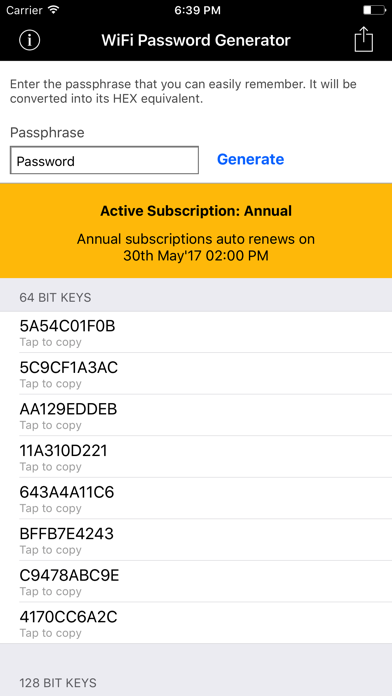
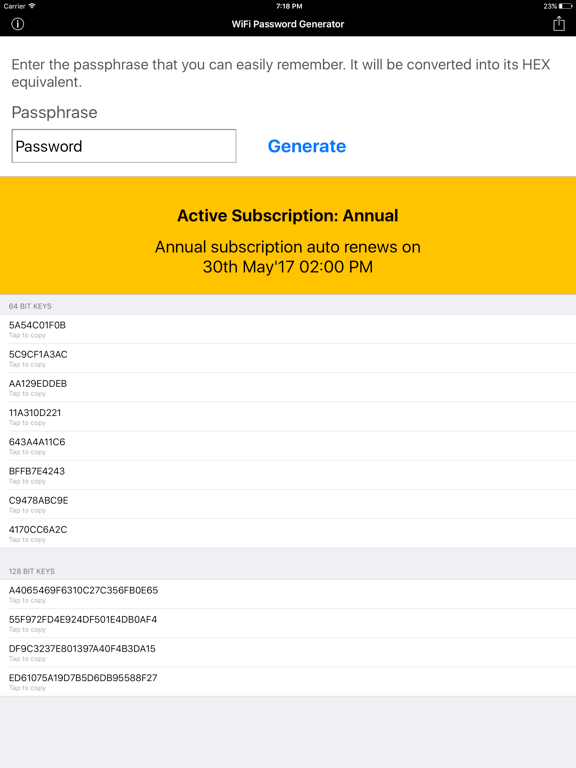
Wifi Password Generator - WEP Key app helps you generate secure password for your wireless network. It generates 64 bit and 128 bit secure WEP key.
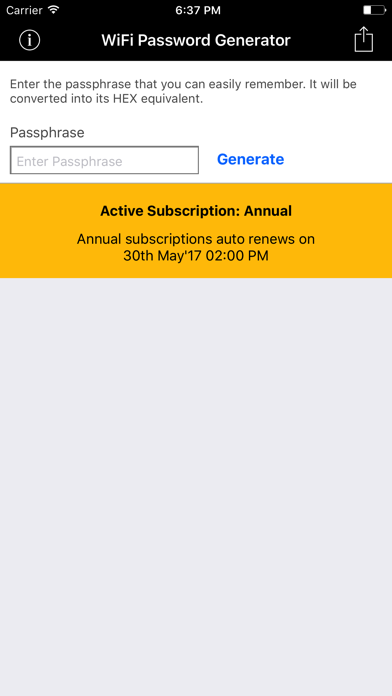
All you need to do is enter a simple passphrase that you can easily remember. The app will automatically generate secure WEP keys for your Wi-Fi router.
Here is example of few of the networks supported
- WLAN_XXXX
- JAZZTEL_XXXX
- WLANXXXXXX
- YaComXXXXXX
- WiFiXXXXXX
- ThomsonXXXXXX
- BlinkXXXXXX
- PTV-XXXXXX
- AXTEL-XXXX
- privatXXXXXX
- MegaredXXXXXX
- SpeedTouchXXXXXX
- Orange-XXXXXX
- INFINITUMXXXX
- INFINITUMXXXXXX
- O2WirelessXXXXXX
- Bbox-XXXXXX
- D-Link-XXXXXX
- OtenetXXXXXX
- CYTAXXXXXX
- MegaredXXXXXX
- DMAXXXXXXX
- BigPondXXXXXX
- DLinkXXXXXX
- BigPondXXXXXX
- Vodafone-XXXXXX
- TN_private_XXXXXX
- BouyguesXXXXXX
- InterCableXXXXXX
- BouyguesXXXXXX
- ptvXXXXXX
- ptv-XXXXXXX
- OptimusFibraXXXXXX
- OptimusXXXXXX
- MEO-XXXXXX
- CONN-X_XXXX
- conn-xXXXXXX
- OTENET_XXXX
- Totalplay-XXXX
- Huawei-HG8245-XXXX
The generated keys can be sent via email or SMS.
Information about the auto-renewable subscription
- You can purchase for monthly subscription ($3.99/month) or annual subscription ($29.99/year).
- Payment will be charged to iTunes Account at confirmation of purchase.
- Subscription automatically renews unless auto-renew is turned off at least 24-hours before the end of the current period.
- Account will be charged for renewal within 24-hours prior to the end of the current period.
- Subscriptions may be managed by the user and auto-renewal may be turned off by going to the user's Account Settings after purchase
- For more information on how to cancel subscription, please review - https://support.apple.com/en-us/HT202039
- Privacy policy: http://www.svgapps.com/privacy-policy
- Terms of use: http://www.svgapps.com/terms