PsyTimer Stopwatch 2
PsyTimer Stopwatch 2 icon

ASO Keyword Dashboard

Tracking 130 keywords for PsyTimer Stopwatch 2 in Apple App Store

Developer: Cognisoft ApS Category: tools Rating: 5

PsyTimer Stopwatch 2 tracks 130 keywords (no keywords rank yet; 130 need traction). Key metrics: opportunity 70.1, difficulty 40.7.

Tracked keywords

130

0  ranked •  130  not ranking yet

Top 10 coverage

Best rank — • Latest leader —

Avg opportunity

70.1

Top keyword: clock

Avg difficulty

40.7

Lower scores indicate easier wins

Opportunity leaders

  • clock

    Opportunity: 73.0 • Difficulty: 40.1 • Rank —

    Competitors: 118

    64.7
  • among

    Opportunity: 73.0 • Difficulty: 42.8 • Rank —

    Competitors: 190

    67.7
  • seconds

    Opportunity: 73.0 • Difficulty: 41.8 • Rank —

    Competitors: 129

    66.3
  • functions

    Opportunity: 73.0 • Difficulty: 41.8 • Rank —

    Competitors: 102

    67.9
  • displayed

    Opportunity: 73.0 • Difficulty: 40.3 • Rank —

    Competitors: 68

    66.4

Unranked opportunities

  • clock

    Opportunity: 73.0 • Difficulty: 40.1 • Competitors: 118

  • among

    Opportunity: 73.0 • Difficulty: 42.8 • Competitors: 190

  • seconds

    Opportunity: 73.0 • Difficulty: 41.8 • Competitors: 129

  • functions

    Opportunity: 73.0 • Difficulty: 41.8 • Competitors: 102

  • displayed

    Opportunity: 73.0 • Difficulty: 40.3 • Competitors: 68

High competition keywords

  • time

    Total apps: 190,736 • Major competitors: 2,966

    Latest rank: — • Difficulty: 55.3

  • easy

    Total apps: 142,080 • Major competitors: 2,039

    Latest rank: — • Difficulty: 53.4

  • every

    Total apps: 120,649 • Major competitors: 2,494

    Latest rank: — • Difficulty: 54.0

  • using

    Total apps: 115,141 • Major competitors: 1,548

    Latest rank: — • Difficulty: 53.5

  • designed

    Total apps: 114,471 • Major competitors: 1,080

    Latest rank: — • Difficulty: 51.8

All tracked keywords

Includes opportunity, difficulty, rankings and competitor benchmarks

Major Competitors
mode701004876

34,906 competing apps

Median installs: 700

Avg rating: 4.1

664

major competitor apps

change691004877

38,601 competing apps

Median installs: 650

Avg rating: 4.0

777

major competitor apps

right671005482

83,347 competing apps

Median installs: 500

Avg rating: 4.2

1,631

major competitor apps

single691004877

37,414 competing apps

Median installs: 550

Avg rating: 4.1

605

major competitor apps

easy661005386

142,080 competing apps

Median installs: 450

Avg rating: 4.1

2,039

major competitor apps

collect701005076

33,298 competing apps

Median installs: 750

Avg rating: 4.2

977

major competitor apps

digital691004978

46,511 competing apps

Median installs: 450

Avg rating: 4.1

703

major competitor apps

clock731004065

7,403 competing apps

Median installs: 500

Avg rating: 4.1

118

major competitor apps

information661005284

112,143 competing apps

Median installs: 350

Avg rating: 4.1

1,128

major competitor apps

used691004979

50,682 competing apps

Median installs: 400

Avg rating: 4.0

502

major competitor apps

designed661005285

114,471 competing apps

Median installs: 350

Avg rating: 4.2

1,080

major competitor apps

choose671005383

90,146 competing apps

Median installs: 650

Avg rating: 4.1

1,766

major competitor apps

using661005385

115,141 competing apps

Median installs: 500

Avg rating: 4.0

1,548

major competitor apps

time651005588

190,736 competing apps

Median installs: 450

Avg rating: 4.1

2,966

major competitor apps

available671005583

89,249 competing apps

Median installs: 550

Avg rating: 4.1

1,834

major competitor apps

including681005281

67,998 competing apps

Median installs: 600

Avg rating: 4.1

1,401

major competitor apps

function721004269

13,888 competing apps

Median installs: 400

Avg rating: 3.9

156

major competitor apps

among731004368

11,149 competing apps

Median installs: 500

Avg rating: 4.1

190

major competitor apps

small711004773

23,426 competing apps

Median installs: 450

Avg rating: 4.2

348

major competitor apps

seconds731004266

9,211 competing apps

Median installs: 500

Avg rating: 4.1

129

major competitor apps

hand721004369

12,975 competing apps

Median installs: 550

Avg rating: 4.1

240

major competitor apps

many671005182

77,117 competing apps

Median installs: 550

Avg rating: 4.1

1,352

major competitor apps

simple671005284

98,968 competing apps

Median installs: 450

Avg rating: 4.1

1,441

major competitor apps

minutes721004570

14,443 competing apps

Median installs: 750

Avg rating: 4.2

353

major competitor apps

want671005282

83,664 competing apps

Median installs: 550

Avg rating: 4.1

1,431

major competitor apps

130 keywords
1 of 6

App Description

The PsyTimer Stopwatch 2 combines a stopwatch with an alarm clock. Thus, it may time an interval and warn when a pre-set time limit is reached at the same time.

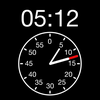
The PsyTimer Stopwatch 2 is carefully designed to present elapsed and remaining time as well as available options in a simple and distinct way. Prominently, a digital time display as well as an analogue clock is presented concurrently.

The timing is very precise as it is continuously computed as the time elapsed since the timing was started. Thus, there is no accumulation of small timing errors.

The PsyTimer Stopwatch 2 may be used in many different situations. The author first developed it for testing of intelligence and neuropsychological testing, but it has found many other uses, e.g. presentations, speeches, laboratories and broadcasting.

Features:
- Elapsed time will feature on a digital display as well as on an analogue clock. This makes it easy to collect information during testing, presentations, and other tasks that may demand most of your attention.
- All functions can be accessed easily. A big Start-Stop button can be found at the bottom of the display where it is easy to reach, even while your are attending to the task, you are timing.
- It is also easy to choose among pre-set time limits on the primary stopwatch display.
- The display will not turn off while you are using the stopwatch.
- The digital display will change color when the time limit has been reached. You can also choose for a sound signal to emit at this point (optional), and the screen may flash one or more times (optional).
- A progress bar will display the elapsed time if a time limit has been chosen.
- It is possible to select among a number of sounds for the alarm signal, including short and quiet sounds as well as long, loud, and attention catching sounds.
- The main digital display may show either minutes and seconds, or the total number of seconds elapsed.
- The repeat function makes it possible to cycle an interval. A cycle count is displayed (The author uses this for a concentration test, where the assessor has to give a prompt every 20 seconds).
- You can choose to have the Reset button to the right or to the left of the Start-Stop button (for single hand use for both right and left handers).
- A history log of previous timings.
- Landscape view.

You will probably want to put your iPhone in "Airplane Mode