Tap & Learn Videos

Tap & Learn Videos Summary
Tap & Learn Videos is a with in-app purchases iOS app in Education by Reuven Berman. Released in Jul 2017 (8 years ago). It has 15 ratings with a 4.40★ (good) average. Based on AppGoblin estimates, it reaches roughly 9.00 monthly active users and generates around $<10K monthly revenue (100% IAP / 0% ads). Store metadata: updated Nov 14, 2025.
Store info: Last updated on App Store on Nov 14, 2025 .
4.4★
Ratings: 15
Screenshots


App Description
Tap & Learn is a unique app especially for children’s education, teaching over 40 different items, with 4 main categories: Animals, Fruits, Vehicles, Body parts. Each item has together with it 3 video clips, providing learning skills in a stimulating and informative environment.
Tap & Learn basic includes access to all the animal videos for free!
Check out our website (found under developer website) for a video tutorial, showing sample video clips, app features, and a guided tour how to use the app.
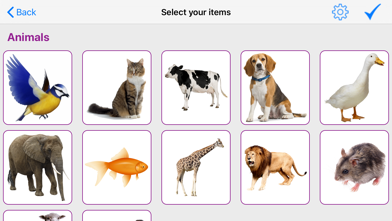
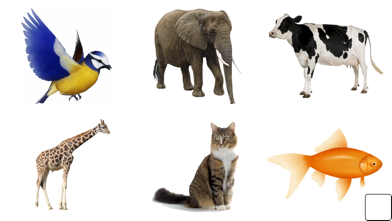
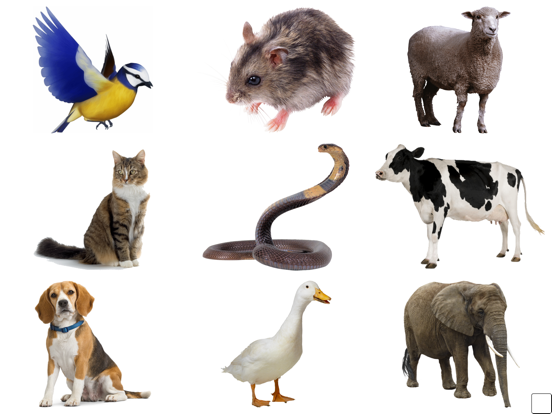
When first setting up, you choose which items you want to appear on the screen. You can choose how many items you want to display on the screen at one time, from one item, up to twelve items. When you tap on the desired item, a short video is displayed. You can choose to display all the items from one category, or you can mix and match any item from different categories.
When choosing your items to display, you can use two different modes of use.
1. “Free mode” will display the items on the screen, and any item can be tapped at any time, and the corresponding video will show.
2. “Teaching mode”, all the items will be displayed, but only one item at a time will be enabled to tap. In the top left corner of the screen will appear the name of the item enabled, and only that item will play its clip upon being tapped. You can also choose which of the items in the page will be taught. The option is available to add voice guidance, where a voice will play to instruct which item should be chosen.
The “teaching mode” of the app is designed for use by child therapists and teachers of many fields. If a teacher wishes to teach a specific item, to teach a child to choose the item from a broader pictures of items, this app is ideal. The teacher if they wish can teach the child to choose the desired item from a choice of 2 items, then 3, etc, getting progressively more difficult. To note, of course the “teaching mode” is fully functional, and even ideal, for all children, for parents to teach the different items.
In the settings page you can determine whether the items displayed should have a border around them, to distinguish one item from another. In addition, you can determine if a video clip can be stopped upon the screen being tapped, and define the minimum amount of time you wish the clip to play for.
On confirmation of subscription, a purchas