Wecol: Video Collage Maker

Wecol: Video Collage Maker Summary
Wecol: Video Collage Maker is a free, ad-supported, with in-app purchases iOS app in Photo And Video by 晓航 郑. Released in Jul 2017 (9 years ago). It has 302 ratings with a 4.77★ (excellent) average. Based on AppGoblin estimates, it reaches roughly 128 monthly active users and generates around $<10K monthly revenue (36% IAP / 64% ads). Store last updated Sep 12, 2026
Wecol: Video Collage Maker SDKs Summary
App not yet scanned for SDKs.
4.77★
Ratings: 302
Screenshots


App Description
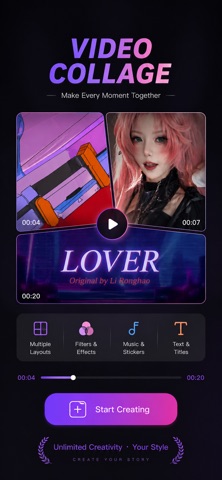
Create stunning video collages, photo grids, and split-screen videos with Wecol.
Combine multiple videos and photos in one layout, add music, customize grids, and create unique video collages for Reels, TikTok, memories, travel, sports, and more.
Photo & Video Collage
• Collage photos and videos in grid layout
• 150+ built-in grid layouts
• 200+ built-in poster template frames
• DIY poster layout templates
• Adjust layout, ratio, spacing, and borders
• Apply filter to photos and videos
• Customize background with color, gradient, texture, photo
• Add music to video collage
• Support multiple playback modes: sync, sequence, delay, main actor
• Add overlays including stickers, text, and particle effects
• Set a custom cover on export
• Export in 1080P & 60fps ultra HD
Duet Camera
• Select a video and layout, then create collab videos with your camera
• Edit recordings with the built-in video collage editor
Layout Camera
• Choose a grid layout and record directly into collage frames
• Supports multi-clip video recording
• Apply real-time camera filter
PIP Video Editor
• Combine 2 videos with picture-in-picture(PIP) effect
• Mute videos and add background music
• Adding stickers and texts
Automatically subscribe to content:
1 Month VIP Membership - Unlimited access to all features for 1 month
1 Year VIP membership - unlimited access to all features for 1 year
The subscription fee will be charged to your iTunes account when you confirm your purchase, and the subscription will automatically renew unless the renewal is canceled by the current subscriber at least 24 hours in advance. Your account will be deducted the renewal fee according to your package within 24 hours before the end of the current subscription period. You can manage or turn off automatic renewal at any time in your Apple ID account settings after purchase.
Privacy Policy:https://note.youdao.com/s/E5AXtqMd
Terms of Service: https://note.youdao.com/s/b68DbWk0