Claro ScanPen Premium

Claro ScanPen Premium Summary
Claro ScanPen Premium is a with in-app purchases iOS app in Education by Claro Software Limited. Released in Oct 2017 (8 years ago). It has 51 ratings with a 4.47★ (good) average. Based on AppGoblin estimates, it reaches roughly 51 monthly active users and generates around $<10K monthly revenue (100% IAP / 0% ads). Store metadata: updated Feb 24, 2025.
Store info: Last updated on App Store on Feb 24, 2025 .
4.47★
Ratings: 51
Screenshots



App Description
Need to listen to printed text spoken aloud - at school, in a test exam, at work or at home? Use Claro ScanPen to photo your printed text document, letter, test paper - then select the text with your finger (or stylus), and hear it spoken straight back to you. Instantly! No internet connection required.
Claro ScanPen Premium is free to use for either 10 scans, or for 14 days when you sign up to the annual auto-renewing subscription (which you're free to cancel at any time). When you have an active subscription you can download as many premium voices as you need for no extra cost. Our premium voices are currently Nuance Vocalizer and Acapela. If you want to purchase ScanPen outright and buy any extra voices, search the App Store for our standard version called "Claro ScanPen".
Claro ScanPen advances reading aloud support. It gives access to printed text materials and documents for all, in a wide range of languages. Using your iPhone, iPod Touch or iPad, simply:
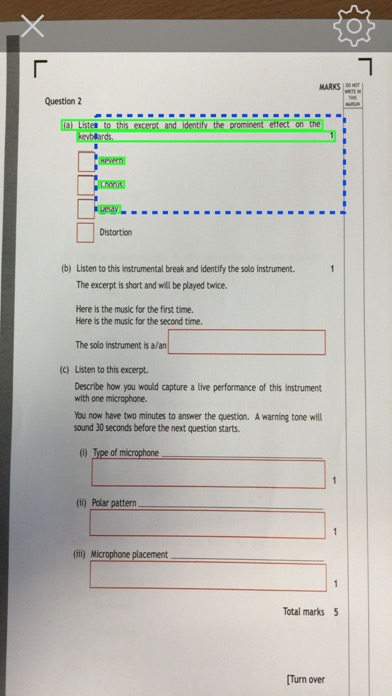
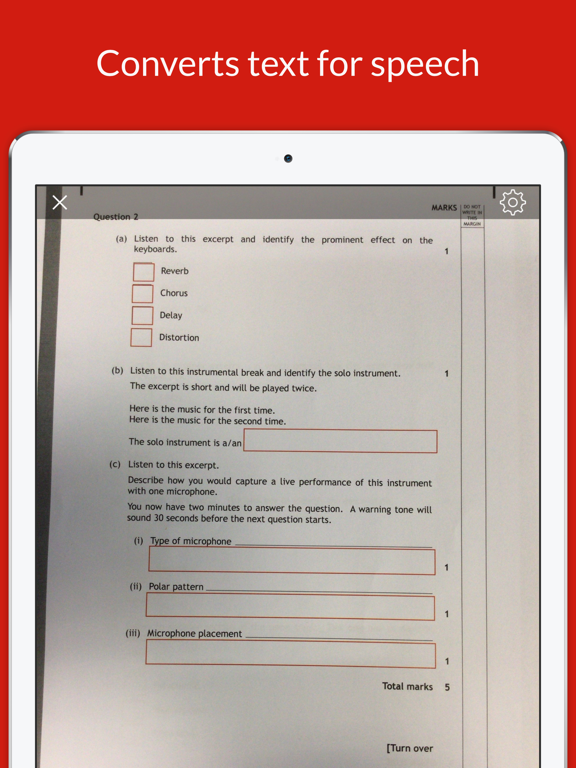
• Take a photo of the text or select a photo of the text document from your camera roll.
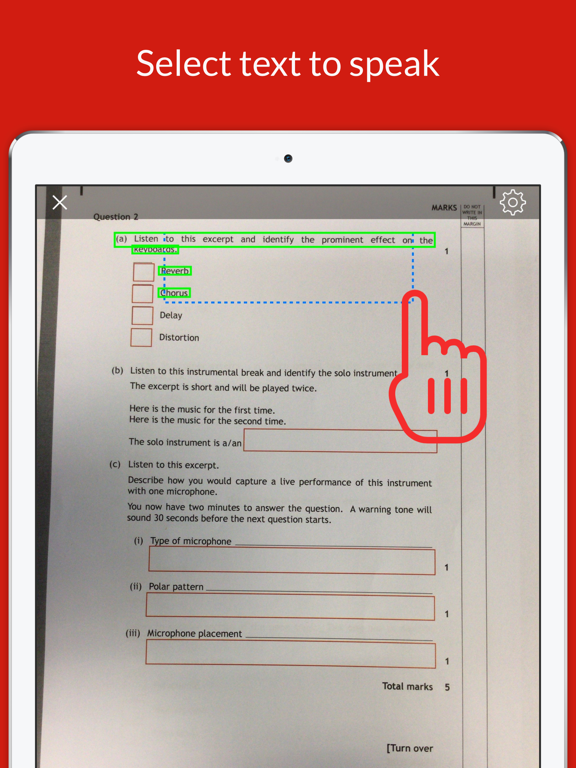
• Highlight with your finger or stylus which section of text you want to hear spoken to you.
• Listen as Claro ScanPen instantly reads the text back to you using a human quality voice in a language of your choice.
With your finger (or stylus) you can highlight all of the text, word by word or line by line. Tap anywhere to stop the speech. Claro ScanPen can also be used with the built in iOS VoiceOver accessibility feature, allowing low vision and blind users to access text.
Claro ScanPen has no access to the internet or any reference material, so is perfect to use as a computer reader under exam and test conditions, helping students who cannot read text very well (e.g. students with dyslexia) to listen to the exam test paper questions and information. It can also be used for quickly converting class handout materials, printed presentations, instructions, books - in fact anything containing printed texts.
Claro ScanPen uses the latest premium Optical Character Recognition (OCR) technology to convert your picture into text and uses iOS system voices to read the text back to you. The OCR in Claro ScanPen fully supports the recognition of text in the following languages:
• English
• Danish
• Dutch
• French
• German
• Italian
• Norwegian
• Portuguese
• Spanish
• Swedish
Simply select