VR Battle of Battleship

VR Battle of Battleship Summary
VR Battle of Battleship is a with in-app purchases iOS app in Games by Hitoshi Yasui. Released in Aug 2017 (8 years ago). It has 5.00 ratings with a 1.80★ (poor) average. Based on AppGoblin estimates, it reaches roughly 6.00 monthly active users and generates around $<10K monthly revenue (100% IAP / 0% ads). Store metadata: updated Aug 7, 2017.
Store info: Last updated on App Store on Aug 7, 2017 .
1.8★
Ratings: 5.00
Screenshots


App Description
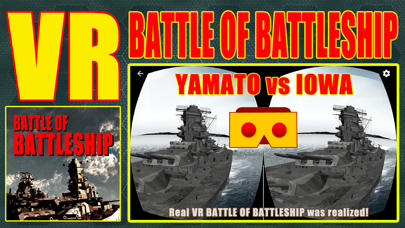
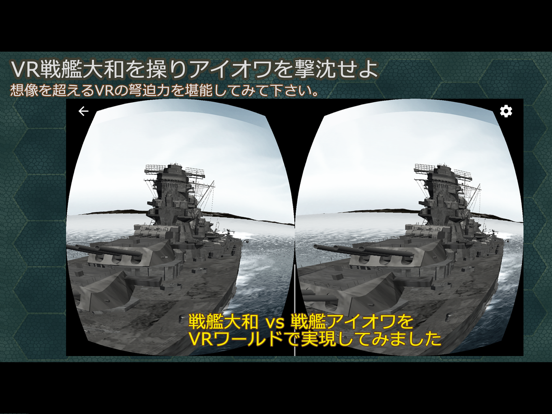
This is a VR Real-Time Simulation Game of the one-on-one fight of the Ultimate Huge Battleships; IOWA-class and Yamato-class.
1: Game Content General
There are only two battleships and enemy battleships in the battle area in the VR space.
Please sink the enemy battleship using the main gun during the battle time.
2: Two VR-Battle mode
There are two VR-Battle Modes; “TEST BATTLE” and “PRO BATTLE”.
The function of VR is expected to differ depending on the situation of your device, VR adapter, etc. Therefore, we recommend you to try battleship operation and main gun operation in "VR test battle mode" which you can enjoy for free first. In other words, it is to be familiar with a series of tasks such as quickly finding an enemy battleship, issuing a VR menu, matching main gun sights and shooting.
① VR TEST BATTLE MODE:
You can fight without a BATTLE COIN. Battle conditions are as follows.
· Number of shells: 12 shells
· Simultaneous shooting number:
3 simultaneous firing (maximum of one turret x 3)
· Battle time: 180 seconds
② VR PRO BATTLE MODE:
1 BATTLE COIN is required per 1 “VR PRO BATTLE". Battle conditions are as follows.
· Number of shells: 150 shells
· Simultaneous shooting number: “ALL-SALVO” !!
9 simultaneous launches (maximum 3 guns each 3 turret)
· Battle time: 600 seconds
BATTLE COIN can be purchased as in-app items.
3: VR Battle Operation
Please refer to the description of the operation explanation.
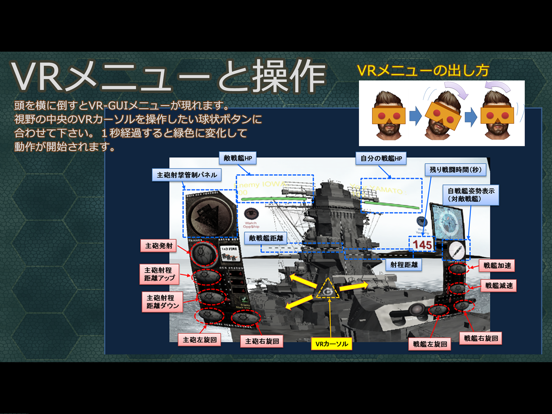
Usually the VR battleship operation menu is not displayed.
VR Battleship Operation Menu appears by tilting the head sideways.
The function begins to move by matching the VR cursor at the center of the line of sight to the spherical operation switch on the menu.
You can check whether the operation has been performed by changing the color of the operation switch or sound.
In the VR test battle, we recommend that you train battleship navigation and gun control and launch.
When stopping the operation switch, it takes a while for the operation to actually stop after turning it off. In the case of a main gun sight towards an enemy battleship, it is necessary to understand this characteristic well before turning it off a little earlier. With this in mind, we recommend that you practice main gun sighting quickly and practice to hit enemy battleship with main gun’s shells.
The VR b