Habit Ace - Routine Tracker

Habit Ace - Routine Tracker Summary
Habit Ace - Routine Tracker is a with in-app purchases iOS app in Productivity by ProductiveTap. Released in Nov 2017 (8 years ago). It has 8.00 ratings with a 4.62★ (excellent) average. Based on AppGoblin estimates, it reaches roughly 23 monthly active users and generates around $<10K monthly revenue (100% IAP / 0% ads). Store metadata: updated Jul 17, 2024.
Store info: Last updated on App Store on Jul 17, 2024 .
4.62★
Ratings: 8.00
Screenshots




App Description
Habit Ace helps you build powerful habits in a fun way. Whether it is a daily, weekly, or monthly habit, Habit Ace tracks your progress and keeps you motivated.
Your mission is to complete your progress charts and make your streaks as long as possible. By doing so, you are building habits that make you feel fulfilled.
FEATURES
* Add daily/weekly/monthly habits.
You can track not only daily, but also weekly and monthly habits. Each type has its own tab for your convenience.
* Track how you maintain the habits.
You can give a check mark to a habit whenever you do it. If you forget, you can still give the check mark anytime you want.
* See how good you are at maintaining the habits.
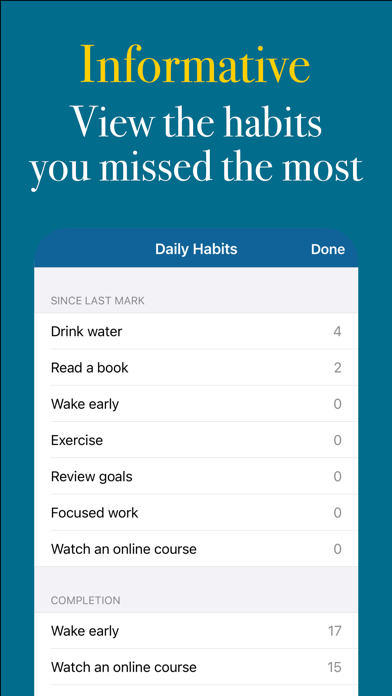
For each habit, you can see the current and longest streak. You can also see the details of the streak. This way, you can easily see when you succeeded and when you didn’t.
* Add widgets to your Lock Screen and Home Screen.
You can view your progress right on your Lock Screen and Home Screen. Feel the satisfaction of seeing completed charts when you have done all your habits.
* Do a habit multiple times a day (or a week or a month).
If you want to do a habit multiple times per time period, you can do that. Just turn on Multiple Mode when adding a new habit. Then swipe right or left to reveal the + and - buttons to change the count.
* Set reminders to do your habits.
The reminders will appear automatically according to the type of habit (daily, weekly, or monthly).
* Set custom colors for your habits.
Setting custom colors will help you locate your habits easily (e.g., morning habits).
* Archive inactive habits.
When you decide not to do a habit for some time, you can archive it. This way, your data will stay intact and you can reactivate the habit at any time.
* Create notes on a habit.
Do you want to record why you failed to do a habit yesterday? You can do that by creating a note for that day. The same thing applies to weekly and monthly habits.
* For daily habits, choose the days that are okay to skip.
Your streak will continue through these days. If you choose not to do the habit on the weekend, for example, you won’t break your streak.
* Automatic backup & sync.
Your data is automatically backed up and synchronized through your iCloud account.
The optional Premium subscription costs $1.99/month USD. Premium users can track an unlimited number of habits. It w