Otter Transcribe Voice Notes

Otter Transcribe Voice Notes Summary
Otter Transcribe Voice Notes is a free, with in-app purchases iOS app in Productivity by Otter.ai, Inc.. Released in Feb 2018 (8 years ago). It has 131K ratings with a 4.77★ (excellent) average. Based on AppGoblin estimates, it reaches roughly 486K monthly active users and generates around $10K+ monthly revenue (100% IAP / 0% ads). Store last updated Oct 22, 2026
Recent activity: 1K new ratings this week View trends →
SDK intelligence: AppGoblin detected 7 development tools(e.g. Google), 3 analytics: product, 2 ad networks,and 1 analytics: attribution integrated into Otter Transcribe Voice Notes. View full SDK list →
Otter Transcribe Voice Notes SDKs Summary
Otter Transcribe Voice Notes was last scanned for SDKs on 2026-10-23. Below is the overview of third-party companies detected in the app. The full list of SDKs, permissions and unknowns is available here.
 Google
 One Signal
 Airbnb Engineering
 nanopb
 Alamofire
 AppsFlyer
 Firebase
 Braze
Braze Amplitude
4.77★
Ratings: 131K
Screenshots



App Description
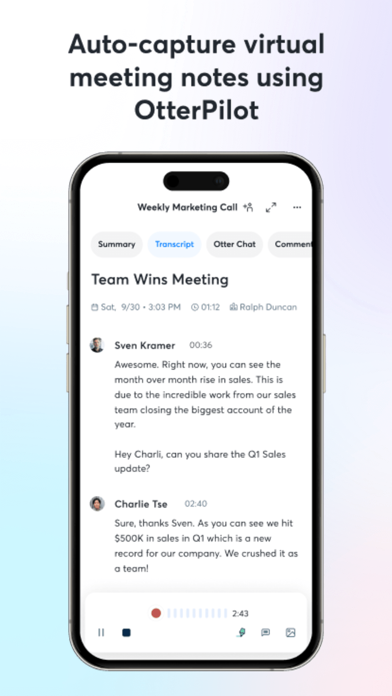
Never take meeting notes again. Otter AI is the fastest way to transcribe voice in real time. Get a meeting assistant that records audio, writes notes, automatically captures slides, and generates summaries.
Available in English, Spanish, French and Japanese. Otter AI is also available on the web. Start for free.
Trusted by over 10 million people and featured by Apple as "App of the Day" and "Editors' Choice."
Automated meeting notes for Zoom, Google Meet, Microsoft Teams, and more. Stay connected and collaborative when you work from home.
Otter transcribes all your meetings, interviews, lectures, and everyday voice conversations in real time, so you can focus on the discussion.
KEY FEATURES
• AI Meeting Assistant: get automated meeting notes & summaries
• AI Chat: get answers and generate content
• AI Channels: combine live conversations with async updates. Chat with teammates.
• Record & transcribe live
• Automated meeting notes & summaries
• Share & collaborate
• All notes are searchable & shareable
• Edit & highlight
• Organize & export
• Import & sync
Looking for a specific feature? Here are the details:
RECORD & TRANSCRIBE LIVE
• Instantly record in one tap
• Transcribe in real time
• Highlight key points to review later
• Insert photos of whiteboard discussions, slides, etc.
• Input audio via built-in mic or Bluetooth device
ENRICH NOTES WITH AI
• Gather information across all your conversations
• Ask questions about a specific meeting
• Generate follow- up emails
• Automated Slide Capture during virtual meetings
• Generate summary, outline and keywords after all meetings
• Punctuate, capitalize, and break paragraphs automatically
SHARE & COLLABORATE
• Invite group members to view, edit, and highlight collaboratively
• Add comments and assign action items
• Share links externally
SEARCH & PLAYBACK
• Search the text so you don't have to scrub through the whole audio
• Playback at adjustable speeds
• Follow along the highlighted word as the audio is playing
• Tap on any word to jump the audio to that spot
EDIT & HIGHLIGHT
• Edit the text to correct any errors
• Tag the speakers to label the paragraphs and train Otter to identify speakers too
• Highlight sentences in one tap
IMPORT & SYNC
• Import audio and video files
• Upload from other call recording apps
• Syn