Baison: Speed & Slow-Mo Editor

Baison: Speed & Slow-Mo Editor Summary
Baison: Speed & Slow-Mo Editor is a free, ad-supported iOS app in Photo And Video by AppSeed, Incorporated.. Released in Sep 2017 (9 years ago). It has 223 ratings with a 3.80★ (average) average. Based on AppGoblin estimates, it reaches roughly 122 monthly active users and generates around $<10K monthly revenue (0% IAP / 100% ads). Store last updated Oct 17, 2026
Baison: Speed & Slow-Mo Editor SDKs Summary
App not yet scanned for SDKs.
3.8★
Ratings: 223
Screenshots



App Description
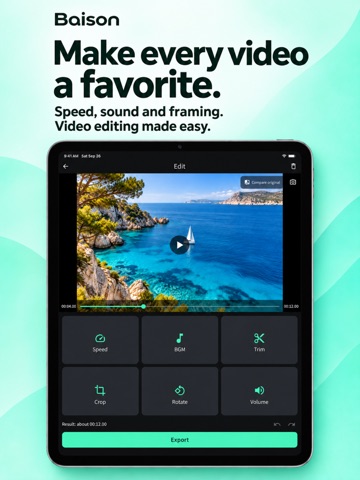
Baison is an easy-to-use video editor for fast-motion, slow-motion and music videos. Change video speed, trim clips, crop the frame, rotate, flip and adjust audio volume. Turn videos from your camera roll into clips ready to share on social media.
■ Create fast-motion videos
Speed up your videos to 1.5x, 2x or 4x. A simple way to condense long recordings and give everyday moments a faster rhythm.
■ Make slow-motion videos
Slow down footage to 0.5x or 0.25x. Highlight sports, movement and those moments you want to see in detail.
■ Trim your clips
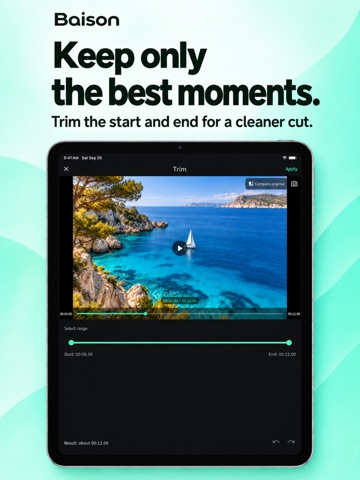
Choose the start and end points to keep only the part you need, then save your edited video.
■ Add background music
Choose from 7 built-in BGM tracks. Adjust the original audio and background music separately to find the right balance.
■ Crop for social media
Switch between 9:16 portrait, 1:1 square and 16:9 landscape formats. Prepare videos for TikTok, Instagram and YouTube Shorts.
■ Rotate and flip
Rotate in 90° steps, mirror horizontally or flip vertically. Easily correct footage recorded in the wrong orientation.
■ Adjust volume
Control the original sound and music independently to suit each scene.
■ Great for
• Adding impact with fast or slow motion
• Quick edits before sharing on social media
• Creating clips with background music
• Making portrait or square videos
• Anyone looking for a simple video editing app
■ Three simple steps
1. Choose a video.
2. Tap the editing feature you want.
3. Adjust and export.
Support: https://app-seed.com/app-support/
Official X: https://x.com/AppseedInc
The app contains ads.