Dizionario Cinese Hoepli

Dizionario Cinese Hoepli Summary
Dizionario Cinese Hoepli is a mobile iOS app in Books And Reference by Edigeo S.r.l.. Released in Sep 2017 (8 years ago). Store metadata: updated Dec 2, 2025.
Store info: Last updated on App Store on Dec 2, 2025 .
0★
Ratings: 0
Screenshots


App Description
This app provides the Hoepli edition of the Chinese-Italian/Italian-Chinese Dictionary from Zhang Shihua. The aim of this dictionary - licensed by Shanghai Foreign Language Education Press - is to represent the actual use of Chinese and Italian vocabulary, using methodological principles in accordance with nowadays requirements of bilingual users.
The dictionary is the ultimate tool for both native speakers of Chinese studying Italian, and Italians studying Chinese. The piniyin transcription of headwords and of all acceptions of Chinese entries, together with the use of latin alphabetical sorting even for entries in the Chinese-Italian section, make the use of this dictionary extremely easy also for those who are not particular confident with Chinese ideograms.
The Chinese-Italian part of the app includes more than 20,000 headwords that well represent the enrichment of modern Chinese language. The Italian-Chinese part offers a repertoire with more than 30,000 entries and refers to the several Italian dictionaries published in recent years, which reflect neologisms and trends in contemporary Italian language.
Particular attention is devoted to phraseology, to examples of use in which every single voice, in every sense, is achievable or realized. The examples were chosen based on the higher frequency they have in the current average use.
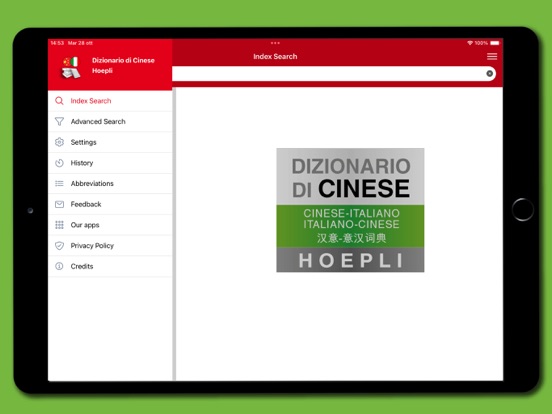
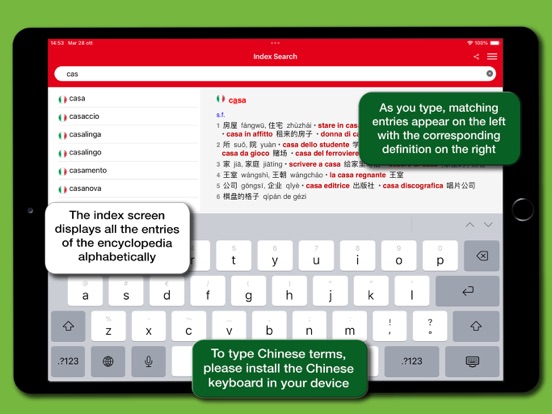
The app's interface has been redesigned to provide a simpler and more intuitive experience. You can swipe the definitions to the right to return to the search results and improve the readability by pinching the text with two fingers to zoom in and out. In addition, you can tap on any word within the definitions and look it up directly in the dictionary without having to type it into the search box. A main menu that can be activated via an icon available at the top right of the screen enables all the features of the app:
• Index search: displays in alphabetical order the headwords that match the characters typed in the search box
• Advanced Search: allows to make full text searches typing one or more Italian or Chinese words
• Settings: allows you to choose the font size of the definitions and the language of the interface
• History: keeps a record of the searches performed
• Abbreviations: displays a table with an explanation of the abbreviations used within the definitions
• Feedback: use it to provide sugges