Making Change USD
ASO Keyword Dashboard
Tracking 88 keywords for Making Change USD in Apple App Store
Making Change USD tracks 88 keywords (no keywords rank yet; 88 need traction). Key metrics: opportunity 51.3, difficulty 41.7.
Tracked keywords
88
0 ranked • 88 not ranking yet
Top 10 coverage
—
Best rank — • Latest leader —
Avg opportunity
51.3
Top keyword: free
Avg difficulty
41.7
Lower scores indicate easier wins
Opportunity leaders
- 89.9
free
Opportunity: 59.0 • Difficulty: 63.5 • Rank —
Competitors: 2,147
- 88.4
make
Opportunity: 59.0 • Difficulty: 62.7 • Rank —
Competitors: 1,773
- 78.1
top
Opportunity: 58.0 • Difficulty: 58.9 • Rank —
Competitors: 706
- 72.7
mode
Opportunity: 58.0 • Difficulty: 50.7 • Rank —
Competitors: 350
- 73.9
change
Opportunity: 58.0 • Difficulty: 53.7 • Rank —
Competitors: 400
Unranked opportunities
free
Opportunity: 59.0 • Difficulty: 63.5 • Competitors: 2,147
make
Opportunity: 59.0 • Difficulty: 62.7 • Competitors: 1,773
top
Opportunity: 58.0 • Difficulty: 58.9 • Competitors: 706
mode
Opportunity: 58.0 • Difficulty: 50.7 • Competitors: 350
change
Opportunity: 58.0 • Difficulty: 53.7 • Competitors: 400
High competition keywords
free
Total apps: 9,480 • Major competitors: 2,147
Latest rank: — • Difficulty: 63.5
make
Total apps: 8,094 • Major competitors: 1,773
Latest rank: — • Difficulty: 62.7
using
Total apps: 4,473 • Major competitors: 924
Latest rank: — • Difficulty: 61.4
current
Total apps: 3,863 • Major competitors: 756
Latest rank: — • Difficulty: 56.3
right
Total apps: 3,793 • Major competitors: 912
Latest rank: — • Difficulty: 62.5
All tracked keywords
Includes opportunity, difficulty, rankings and competitor benchmarks
| Major Competitors | |||||||
|---|---|---|---|---|---|---|---|
| free | 59 | 100 | 63 | 90 9,480 competing apps Median installs: 264,750 Avg rating: 4.6 | — | — | 2,147 major competitor apps |
| top | 58 | 100 | 59 | 78 2,843 competing apps Median installs: 305,500 Avg rating: 4.6 | — | — | 706 major competitor apps |
| mode | 58 | 100 | 51 | 73 1,632 competing apps Median installs: 249,788 Avg rating: 4.6 | — | — | 350 major competitor apps |
| change | 58 | 100 | 54 | 74 1,855 competing apps Median installs: 267,450 Avg rating: 4.6 | — | — | 400 major competitor apps |
| right | 58 | 100 | 63 | 81 3,793 competing apps Median installs: 282,075 Avg rating: 4.6 | — | — | 912 major competitor apps |
| make | 59 | 100 | 63 | 88 8,094 competing apps Median installs: 266,850 Avg rating: 4.6 | — | — | 1,773 major competitor apps |
| using | 58 | 100 | 61 | 83 4,473 competing apps Median installs: 247,200 Avg rating: 4.6 | — | — | 924 major competitor apps |
| money | 58 | 100 | 56 | 75 2,017 competing apps Median installs: 270,575 Avg rating: 4.7 | — | — | 443 major competitor apps |
| option | 58 | 100 | 49 | 65 768 competing apps Median installs: 264,850 Avg rating: 4.6 | — | — | 152 major competitor apps |
| program | 58 | 100 | 51 | 62 534 competing apps Median installs: 269,325 Avg rating: 4.7 | — | — | 126 major competitor apps |
| giving | 58 | 100 | 45 | 63 589 competing apps Median installs: 247,550 Avg rating: 4.6 | — | — | 131 major competitor apps |
| coin | 57 | 100 | 38 | 52 202 competing apps Median installs: 326,262 Avg rating: 4.6 | — | — | 50 major competitor apps |
| coins | 58 | 100 | 46 | 66 861 competing apps Median installs: 255,350 Avg rating: 4.6 | — | — | 190 major competitor apps |
| monitor | 58 | 100 | 49 | 66 847 competing apps Median installs: 244,700 Avg rating: 4.6 | — | — | 175 major competitor apps |
| test | 58 | 100 | 50 | 73 1,727 competing apps Median installs: 258,500 Avg rating: 4.6 | — | — | 389 major competitor apps |
| student | 57 | 100 | 35 | 50 160 competing apps Median installs: 249,638 Avg rating: 4.5 | — | — | 28 major competitor apps |
| counter | 57 | 100 | 36 | 49 147 competing apps Median installs: 219,250 Avg rating: 4.7 | — | — | 32 major competitor apps |
| text | 58 | 100 | 53 | 72 1,581 competing apps Median installs: 243,000 Avg rating: 4.6 | — | — | 315 major competitor apps |
| current | 58 | 100 | 56 | 81 3,863 competing apps Median installs: 255,000 Avg rating: 4.6 | — | — | 756 major competitor apps |
| always | 58 | 100 | 56 | 78 2,705 competing apps Median installs: 275,550 Avg rating: 4.6 | — | — | 630 major competitor apps |
| performance | 58 | 100 | 43 | 63 623 competing apps Median installs: 242,325 Avg rating: 4.6 | — | — | 113 major competitor apps |
| question | 57 | 100 | 40 | 56 309 competing apps Median installs: 244,775 Avg rating: 4.7 | — | — | 55 major competitor apps |
| grade | 57 | 100 | 41 | 56 287 competing apps Median installs: 268,700 Avg rating: 4.6 | — | — | 62 major competitor apps |
| please | 58 | 100 | 53 | 78 2,739 competing apps Median installs: 250,125 Avg rating: 4.6 | — | — | 552 major competitor apps |
| 57 | 100 | 42 | 58 351 competing apps Median installs: 258,550 Avg rating: 4.7 | — | — | 74 major competitor apps |
App Description
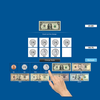
The screen has a top box showing the coin or bill for which change is needed. To the right of the top box is a counter giving the value of the currency in the top box.
Under the top box are more boxes in the middle of the screen with spaces for the coins or bills that the student is using to make change for the money in the top box. To the right of the middle boxes is a counter giving the value of the change in the middle boxes.
At the bottom is another set of boxes with a coin or bill in each box. The student clicks on these coins or bills to make change for the coin or bill in the top box.
Change Made
The student clicks this button when he/she thinks the correct change has been placed in the boxes in the middle.
Settings
Mode
Test
Select this option to measure the student’s progress. The “Report” button under “Test” mode is enabled.
Report
This displays results of the “Test”. The report Holds Only 20 Records.
Grade On/Off: If it is on, app will monitor correct and wrong responses by the student
Correct Answer: When a student response to a question with correct answer
Wrong Answer: When a student response to a question with wrong answer
Number of Total Attempt: Number of times a student tried to answer questions in the app.
Bar Chart: Represents the student's performance graphically.
View Records: If there are old test results, they will be shown on this screen. The current test result is always on top.
Print: This will print the grade or data on the screen.
Clear Data: This button erase all the data that was stored and free up the memory that data was occupying.
Display the Value of the Coins or Bills is on
This is the default setting. The value of the coin or bill (such as "10¢" under a dime) appears under the coin or bill.
Display the Value of the Coins or Bills is off
The value of the coin or bill (such as "10¢" under a dime) will not appear under the coin or bill.
Command Text
This option is selected by default. When this is checked, text appears at the bottom of the screen instructing the student to (for instance) “Here is five dollars. Please make change with 4 one-doll