OutSmart | Field Service

OutSmart | Field Service Summary
OutSmart | Field Service is a with in-app purchases iOS app in Productivity by OutSmart International B.V.. Released in Mar 2018 (8 years ago). It has 2.00 ratings with a 5.00★ (excellent) average. Based on AppGoblin estimates, it reaches roughly 6.00 monthly active users and generates around $<10K monthly revenue (100% IAP / 0% ads). Store metadata: updated May 18, 2026.
Store info: Last updated on App Store on May 18, 2026 .
5★
Ratings: 2.00
Screenshots


App Description
Is your business Installation services? Maybe Construction? Transportation perhaps? If you have agents on the field, you need to know where they are, where are they going next, what materials are being used, agendas, reporting and more important, customer signoff that the service was done.
OutSmart will help you get grip on your organization and your field service.
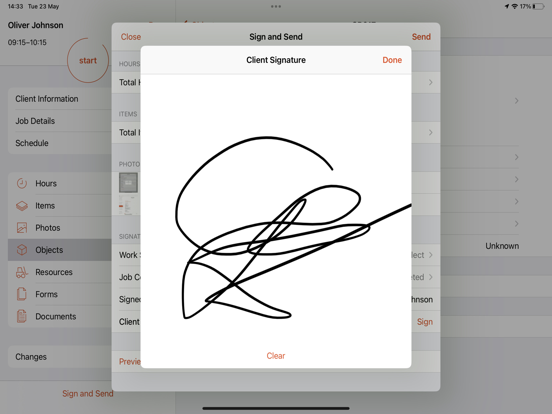
OutSmart is the digital generic solution for replacing the paper work order, for companies who wants to start with setting up a more efficient field service. On the work order you register your hours and articles. You can add photos of your work (for example before and after) and your customer will sign a digital signature below. Directly on the smartphone or tablet. We will ensure that the receipt is sent to your client as a PDF. Simple and effective.
OutSmart is field agent management software that will help you to monitor your agents, plan orders, check for daily reports, open order and see if the service has been completed, track your agents in the map or create checklist before the service is done.
OutSmart is fully cloud-based and can be easily integrated with any accounting or ERP software.
No matter what type of business, OutSmart will make your company more efficient by reducing operational costs and increase productivity.
OutSmart, makes field service easy!
How does it work?
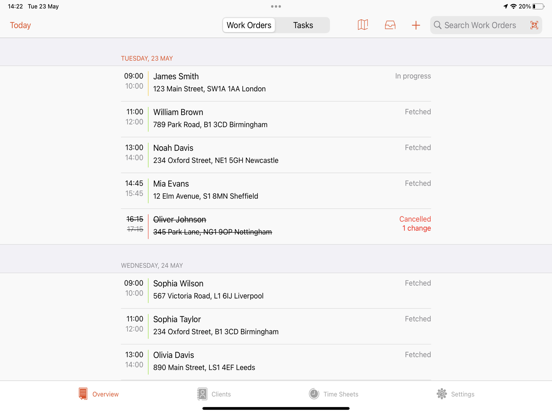
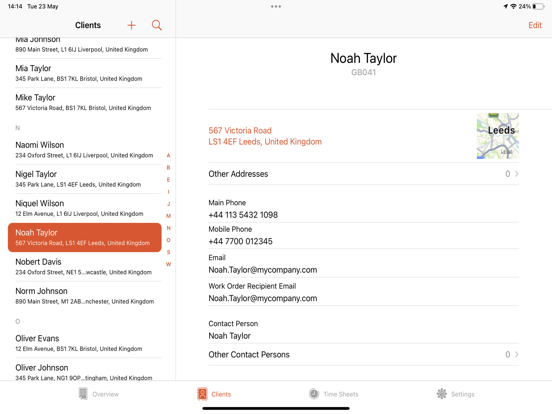
The app is divided into 2 menu items: Work order overview and App Settings. Via the Work order overview tab you can start immediately to create a work order manually. You fill in the details and complete the order for the hours and materials. You can also optionally add photos of the work done at the customer. You can have the customer sign off the order directly and the work order is sent digitally to, for example, the office staff and the customer. On the dashboard, the field employee immediately sees his day and week planning which are scheduled from the web account in the office. So you never miss an appointment again. Through Relationships tab you can view all your relations and the history of the previous visits. At the Overview tab, we save all work orders that have been created locally. This way you can easily look back on what was done at the customer last time. Under the Settings tab you can manage your own company data and the data of the employees.
Do you want to get the most out of the application