Expense Tracker - Money Note

Expense Tracker - Money Note Summary
Expense Tracker - Money Note is a free, ad-supported, with in-app purchases iOS app in Finance by Komorebi Inc.. Released in Mar 2018 (8 years ago). It has 816K ratings with a 4.72★ (excellent) average. Based on AppGoblin estimates, it reaches roughly 7.3M monthly active users and generates around $500K+ monthly revenue (25% IAP / 75% ads). Store last updated Jul 10, 2026
Recent activity: 1.2K new ratings this week View trends →
SDK intelligence: AppGoblin detected 8 ad networks(e.g. Google), 5 development tools,and 1 analytics: product integrated into Expense Tracker - Money Note. View full SDK list →
Expense Tracker - Money Note SDKs Summary
Expense Tracker - Money Note was last scanned for SDKs on 2026-07-29. Below is the overview of third-party companies detected in the app. The full list of SDKs, permissions and unknowns is available here.
 Google
 AppLovin
 InMobi
 Vungle
 nanopb
 Alamofire
 ReactiveX
 Firebase
4.72★
Ratings: 816K
Screenshots




App Description
Simple & Free Budget Tracker
A simple budgeting app to track income and expenses with ease.
No account registration, no bank connections, and no subscriptions.
All data is stored locally for fast, secure, offline use.
Designed with a familiar iOS interface, This app lets anyone start budgeting instantly.
FEATURES
----------------
• Extremely simple and easy to use
• No account registration required
• Free to use forever (no hidden charges later)
• Built-in calendar for easy tracking
• Budget settings by category
• Monthly, yearly, and cumulative reports
• Unlimited custom categories
• Unlimited fixed income and expense settings
• 20+ theme colors and 20+ app icons
• CSV (Excel) export, PDF export, and printing
• Passcode lock with Face ID and Touch ID
• iCloud backup and iPad sync
• 15+ Home Screen widgets
• Lock Screen widgets supported
Everything you need for daily expense management, completely free.
RECOMMENDED FOR
----------------
• People who don’t want a complicated budgeting app
• Users who feel uneasy linking bank accounts or credit cards
• Those who dislike apps that constantly connect to the internet
• Anyone who wants to record expenses simply and quickly
• Users who gave up on receipt scanning apps
• People who just want easy input
• Anyone who doesn’t want monthly subscription fees
This app stores all data locally, so it’s fast, secure, and works offline.
Unlike many other apps, there are no monthly subscriptions, and useful features remain free.
FEATURE DETAILS
----------------
[ Input ]
Tap large, easy-to-press category buttons and enter amounts quickly.
The built-in calculator keyboard makes input fast and comfortable.
An automatic input mode allows you to enter multiple receipts continuously.
[ Calendar ]
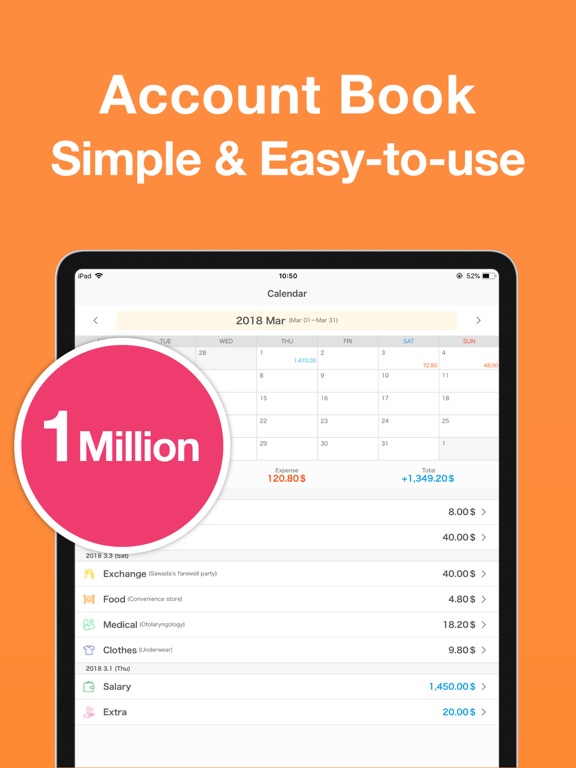
Check daily income and expenses at a glance on the calendar.
Customize the start day of the week and monthly start or closing dates, making it easy to begin tracking from your payday.
Add or delete entries directly from the calendar for easy bulk input.
Savings and initial balances can be set to display carry-overs and cumulative totals.
[ Reports ]
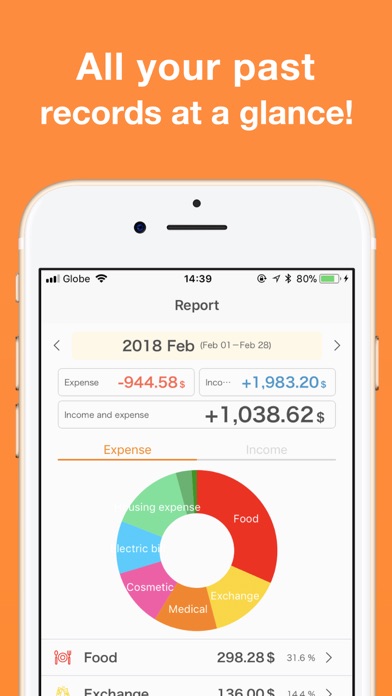
Monthly income and expenses are displayed in clear pie charts.
View spending ratios by category to easily spot overspending or hidden waste.
[ Backup / CSV / PDF Export ]
All data can be exported as CSV (Excel