Fotogenic : Photo Editor

Fotogenic : Photo Editor Summary
Fotogenic : Photo Editor is a with in-app purchases iOS app in Photo And Video by Huseyin Ekmekci. Released in Jan 2018 (8 years ago). It has 597 ratings with a 4.71★ (excellent) average. Based on AppGoblin estimates, it reaches roughly 452 monthly active users and generates around $<10K monthly revenue (100% IAP / 0% ads). Store metadata: updated May 2, 2020.
Store info: Last updated on App Store on May 2, 2020 .
4.71★
Ratings: 597
Screenshots


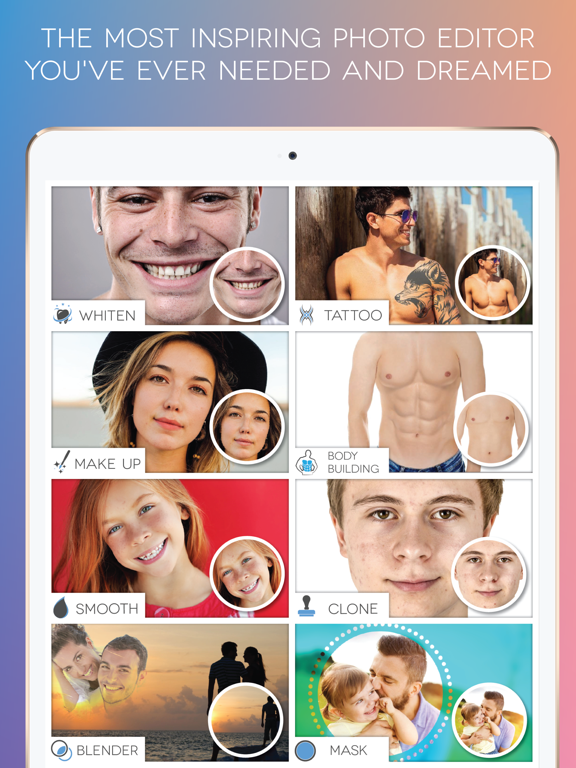

App Description
"EVERYONE IS PHOTOGENICS"
Are you searching the right photo editing app for your mobile photography?
"Fotogenic" is the best choices for photo editing app to suit every level of photographer.
We've created an interactive help for you to understand how to use it for each feature. Even if you have never used photo editing app before, you will create wonderful works of art.
It has an innovative and easy to use interface that creates a beautifully simple user experience. It's easy and intuitive for beginners yet capable enough to be appreciated by professional photographers.
Features :
TOOLS
• Text On Path : Adding text on a path is an important way to create unique text effects
• Speech Bubble : A fun way to perk up your photos is by adding cartoon style speech balloons
• Captions : Add a caption below and above your photos
• Stretch : Make you taller
• Slimmer : It's a snap to get a leaner
• Crop : Crop photo
• Perspective : Fix Keystone distortion
• Rotate : Turn your photo 90 degrees left or right
• Straighten : You can easily fix slanted photos
• Square Fit : Square photo without cropping
• Mosaic : Hide the unwanted parts
BEAUTY
• Smooth : Flawless complexion
• Whiten : Dazzling white smiles
• Detail : It provides unrivaled clarity
• Makeup : Adding a shadow for your eyes or paint a nice color for your lip
• Clone : Eliminate unwanted objects
• Bodybuilding : You can get an attractive and sexy body in seconds
• Tattoo : You can get inspiration what symbol to put permanently on your body
• Bronze Skin : Making your bronzer appear naturally sun kissed
• Defocus : It allows you to focus a subject of your photo
• Reshape : Simulate realistic plastic surgeries
COLOR ADJUSTMENT
• Vibrance : Well saturated colors
• Color Splash : Nice looking abstract artworks
• Color Replacement : Easily change the color of objects
• Levels : Stretch brightness levels in a histogram
• Filters : Hundreds of great photo filters in 5 different categories
• Red Eye : Fix red eye effect
• Lighting : Add depth and warmth
• Channel Mixer : Adjust the percentages for the Red, Green and Blue
• Brightness & Contrast : Fix too light or too dark areas
• Sharpen : Almost every digital image needs at least a little bit of sharpening
• HDR : Achieve an HDR (high dynamic range) look
• Highlights & Shadows : Eas