FirstSeed Calendar for iPad

FirstSeed Calendar for iPad Summary
FirstSeed Calendar for iPad is a paid, with in-app purchases iOS app in Productivity by FirstSeed Inc. Released in Feb 2018 (8 years ago). It has 12K ratings with a 4.70★ (excellent) average. Based on AppGoblin estimates, it reaches roughly 31K monthly active users and generates around $<10K monthly revenue (100% IAP / 0% ads). Store last updated Oct 27, 2026
FirstSeed Calendar for iPad SDKs Summary
App not yet scanned for SDKs.
4.7★
Ratings: 12K
Screenshots


App Description
FirstSeed Calendar is an amazing app that handles both events and reminders with the following great features:
- Added support for Liquid Glass, as well as clear widgets and icons in iPadOS 26.
- Supports Control Center & lock-screen buttons as well as dark & tinted app icons in iPadOS 18.
- Supports interactive widgets and lock-screen widgets in iPadOS 17.
- Supports Stage Manager, weather and focus filter in iPadOS 16.
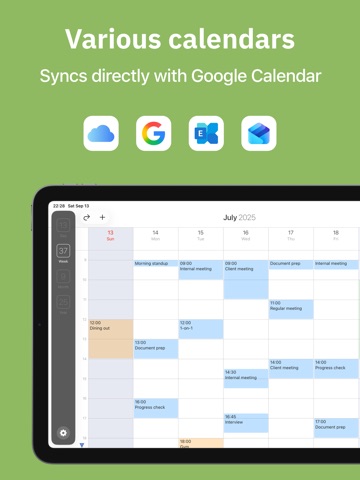
- Full-featured month view with single-handed operation for most common tasks
- Innovative week view that eliminates the need for vertical scrolling
- List view that shows events like paper organizer
- Ability to move and duplicate events
- Show notes in full screen
- Smooth scrolling of calendar views
- And much more!
Also the following great features are available:
- Access to reminders
- Quick event that processes natural language (English, German, French, Spanish, Japanese)
- Calendar Set to quickly switch calendars
- Use template to create similar events easily
- Customize shortcuts to set duration for events
- Analog clock to select the time quickly
- Week number, time zone, and event history
- Different app icons
- And more!
FirstSeed Calendar syncs with Apple's "Calendar" app, so you can use iCloud calendar or other online calendars to sync your events across all devices. It also syncs with Apple's "Reminders" app, so you can use iCloud to sync your reminders across all devices.
The new reminders in iOS 13 and macOS Catalina is only partially supported. For example, sub reminders show up as no-due reminders. Full support will be provided in the future update.