Tap & Print: Smart Printer App

Tap & Print: Smart Printer App Summary
Tap & Print: Smart Printer App is a with in-app purchases iOS app in Business by Smart Mobile Apps FZCO. Released in Jan 2018 (8 years ago). It has 5.2K ratings with a 3.98★ (average) average. Based on AppGoblin estimates, it reaches roughly 27.2K monthly active users and generates around $<10K monthly revenue (100% IAP / 0% ads). Store last updated Jun 4, 2026
Recent activity: 17 new ratings this week View trends →
SDK intelligence: AppGoblin detected 6 development tools(e.g. OpenID), 3 analytics: product, 3 analytics: attribution, 1 business tools,and 1 ad networks integrated into Tap & Print: Smart Printer App. View full SDK list →
Tap & Print: Smart Printer App SDKs Summary
Tap & Print: Smart Printer App was last scanned for SDKs on 2026-06-17. Below is the overview of third-party companies detected in the app. The full list of SDKs, permissions and unknowns is available here.
AppGoblin saw Tap & Print: Smart Printer App uses 3 Analytics: Product
 Firebase
 AppHud
 Amplitude
AppGoblin saw Tap & Print: Smart Printer App uses 3 Analytics: Attribution
 AppMetrica
 AppsFlyer
 Adjust
AppGoblin saw Tap & Print: Smart Printer App uses 6 Development Tools
 OpenID
 Alamofire
 SDWebImage
 nanopb
AppGoblin saw Tap & Print: Smart Printer App uses 1 Business Tools
 Adapty
AppGoblin saw Tap & Print: Smart Printer App uses 1 Ad Networks
 Facebook
3.98★
Ratings: 5.2K
Screenshots



App Description
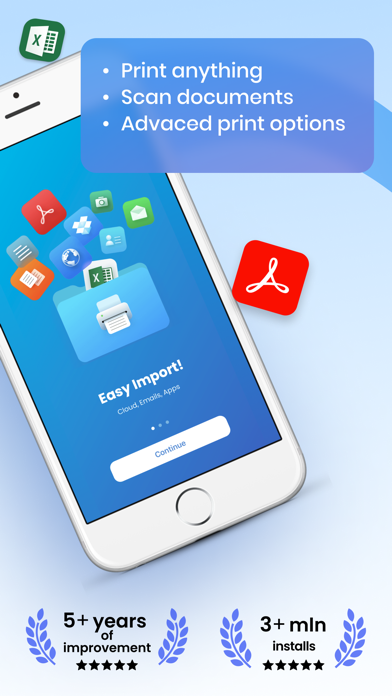
Tap & Print is your go-to app for seamless mobile printing and scanning. Supporting over 9,000 wireless printer models , it makes printing documents, photos, and web pages from your iPhone or iPad easier than ever. With advanced customization options and cloud integration, Tap & Print is perfect for students, professionals, and families alike.
PRINT ANYTHING WITH EASE
Print photos, documents, PDFs, Word files, Excel sheets, PowerPoint presentations, emails, and more—all with just a few taps. Whether you’re printing from your Camera Roll, clipboard, or cloud storage, Tap & Print supports over 30 file types and offers complete control over print settings like paper size, orientation, color, and borders. It’s the only app you’ll need for all your mobile printing needs.
SCAN AND SHARE IN SECONDS
Use the built-in scanner to digitize receipts, contracts, notes, or any document quickly. Once scanned, you can share or print your files instantly. With Tap & Print, going paperless has never been easier.
ADVANCED FEATURES FOR EVERY USER
Take full advantage of customizable options:
Choose from a variety of paper sizes and types (Letter, Legal, A4, etc.).
Print in vibrant color or grayscale for professional results.
Opt for one- or two-sided printing, with or without borders.
Cloud integration with iCloud, Google Drive, and Dropbox ensures your files are always accessible. Plus, convert high-quality PDFs, share files via email or social media, and stay productive on the go.
SUBSCRIPTION DETAILS
To unlock premium features like advanced printer and scanner functionality, a subscription is required. Subscriptions automatically renew unless canceled at least 24 hours before the end of the current billing period. Manage your subscription preferences directly through your iTunes Account Settings.
Note: Only you can manage your subscriptions. As developers, we cannot cancel or renew them on your behalf.
GET STARTED TODAY
Tap & Print works with popular printer brands like Canon, HP, Epson, Brother, Xerox, and more —including any AirPrint-compatible device. Use the test print feature after installation to confirm compatibility with your printer. Make sure your iPhone or iPad is connected to the same Wi-Fi network as your printer for the best experience.
WHY CHOOSE TAP & PRINT?
Whether you’re printing photos, scanning documents, or managing work files, Tap & Prin