Myriad Calculator

Myriad Calculator Summary
Myriad Calculator is a with in-app purchases iOS app in Tools by Chad Lechner. Released in Feb 2018 (8 years ago). It has 4.00 ratings with a 5.00★ (excellent) average. Based on AppGoblin estimates, it reaches roughly 17 monthly active users and generates around $<10K monthly revenue (100% IAP / 0% ads). Store metadata: updated Apr 19, 2018.
Store info: Last updated on App Store on Apr 19, 2018 .
5★
Ratings: 4.00
Screenshots


App Description
Myriad is a modern calculator for iPhone and iPad that offers 34 predesigned worksheets. Need to calculate the tip at a restaurant? There's a worksheet for that. Converting milliliters to teaspoons? There's a worksheet for that too. Buying a new home? Yep, there's a worksheet that tells you the monthly payment on the loan.
33 worksheets are unlocked with in-app purchases, while the Restaurant Bill worksheet, general-purpose calculator, and all other features are completely free.
In addition, Myriad has many useful features that other calculators leave out:
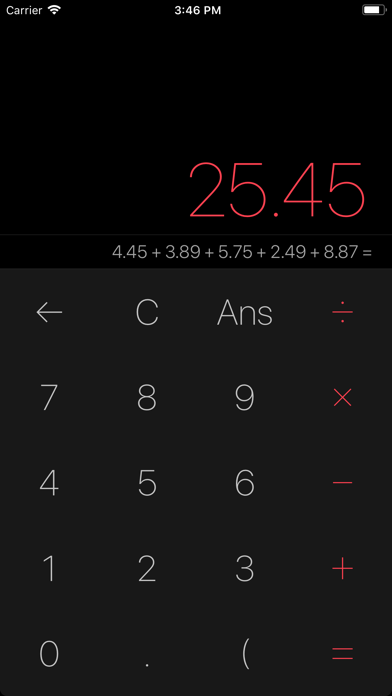
• Myriad keeps a running math expression that shows everything you've entered.
• A history list records each calculation you make so you can check for mistakes or copy past answers. You can easily delete, reuse, and reorder items.
• Myriad includes sales tax buttons to add or subtract sales tax from a total.
• A dedicated undo button lets you easily correct mistakes.
• Tap "round" to round off numbers to a set decimal place.
• Myriad includes keyboard shortcuts, perfect for iPad Pro.
• Myriad automatically switches between light and dark themes and uses bolder, darker text when it’s bright out.
• Choose between nine daytime colors and nine nighttime colors.
• Myriad supports system-wide accessibility technologies, including Darken Colors and Smart Invert.
• I even wrote a full user manual that you can read inside the app!
Myriad is great for math and science problems too:
• Enter extremely large or small numbers using exponential notation.
• Calculate exponentials, logarithms, and factorials from the button pad in both portrait and landscape orientations.
• Use the Trigonometry worksheet to convert angles and compute trig functions, the Quadratics worksheet to solve quadratic/parabolic equations, and the Exponentials worksheet to compute multiple exponentials and logarithms at once.
Plus, it works on your wrist too:
Use the Apple Watch app to make quick calculations from your wrist and impress your friends. It handles percentages and sales tax, and even includes a handy worksheet for figuring the tip and splitting payment when eating out.