Singpass

Singpass Summary
Singpass is a free iOS app in Productivity by Government Technology Agency. Released in Oct 2018 (8 years ago). It has 318K ratings with a 4.79★ (excellent) average. Based on AppGoblin estimates, it reaches roughly 1.1M monthly active users . Store last updated Oct 23, 2026
Recent activity: 11 new ratings this week View trends →
SDK intelligence: AppGoblin detected 4 development tools(e.g. Google), 1 ad networks,and 1 analytics: product integrated into Singpass. View full SDK list →
Singpass SDKs Summary
Singpass was last scanned for SDKs on 2026-06-01. Below is the overview of third-party companies detected in the app. The full list of SDKs, permissions and unknowns is available here.
 Google
 Airbnb Engineering
 nanopb
 SDWebImage
 Firebase
4.79★
Ratings: 318K
Screenshots



App Description
Singpass is Singapore’s trusted digital identity, giving you access to over 1,400 services and counting.
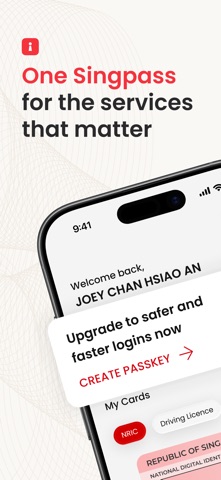
From opening a bank account to booking a medical appointment and checking your CPF balance — everything is done securely, with just a passkey.
◦ Safer and faster logins with passkeys
Passkeys only work on official Singpass logins, keeping you safe from phishing scams and fake websites.
◦ Launch services instantly
Skip an extra login when you visit your most-used government services.
◦ Important daily details, at a glance
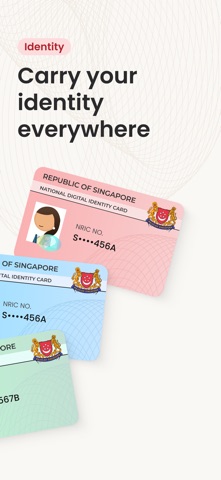
View your CPF balance, HDB details, passport expiry, driving licence, and more. All pulled from the source and updated frequently.
◦ Sign documents digitally
Your digital signature is uniquely yours — impossible to forge. Once signed, the document is permanently sealed.
◦ Security you can trust
Singpass Face Verification matches you against government records — so only you can access your Singpass.
◦ Go passwordless
Point your phone at any Singpass QR code to log in instantly. No typing required.
Get started
New to Singpass? Register your Singpass account at singpass.gov.sg
Already have an account? Use your previous device to set up instantly.
1. Download the Singpass app
2. Complete your one-time verification
3. Create your passkey
Need help? Visit our FAQ at go.gov.sg/singpass-faq
Found an issue? Report it at go.gov.sg/singpass-feedback-issue
This official application is brought to you by the Government Technology Agency (GovTech).