OmniFocus 3

OmniFocus 3 Summary
OmniFocus 3 is a free, with in-app purchases iOS app in Productivity by The Omni Group. Released in May 2018 (8 years ago). It has 3.3K ratings with a 3.92★ (average) average. Based on AppGoblin estimates, it reaches roughly 9K monthly active users and generates around $<10K monthly revenue (100% IAP / 0% ads). Store last updated Sep 12, 2024
OmniFocus 3 SDKs Summary
App not yet scanned for SDKs.
3.92★
Ratings: 3.3K
Screenshots



App Description
Two-week free trial! OmniFocus Standard and Pro are in-app purchases, with discounts for people who bought earlier versions of OmniFocus for iOS. Or you can get OmniFocus for iOS, Mac, and web for just one price with the OmniFocus Subscription. Download the app for details.
Use OmniFocus to accomplish more every day. Create projects and tasks, organize them with tags, focus on what you can do right now — and get stuff done.
OmniFocus — now celebrating 10 years as the trusted, gold-standard to-do list app — brings unrivaled power and flexibility to your iPhone and iPad, making it easy to work the way you want to work.
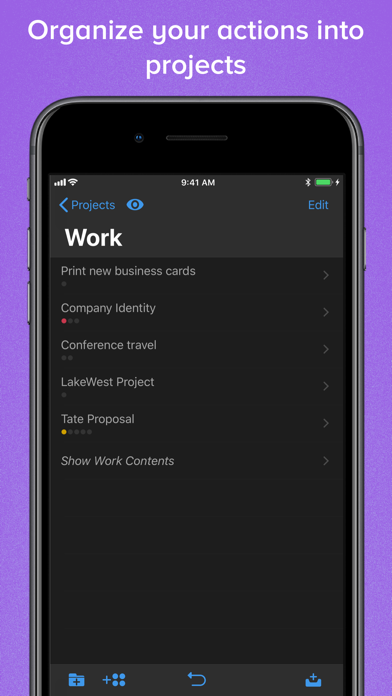
OmniFocus manages everything in your busy life. Use projects to organize tasks naturally, and then add tags to organize across projects. Easily enter tasks when you’re on the go, and process them when you have time. Tap the Forecast view — which shows both tasks and calendar events — to get a handle on your day. Use the Review perspective to keep your projects and tasks on track.
Then let our free syncing system make sure your data is the same on all your iOS devices. (And on OmniFocus for Mac and Web, available separately.) Because your data is encrypted, it’s safe in the cloud.
STANDARD FEATURES
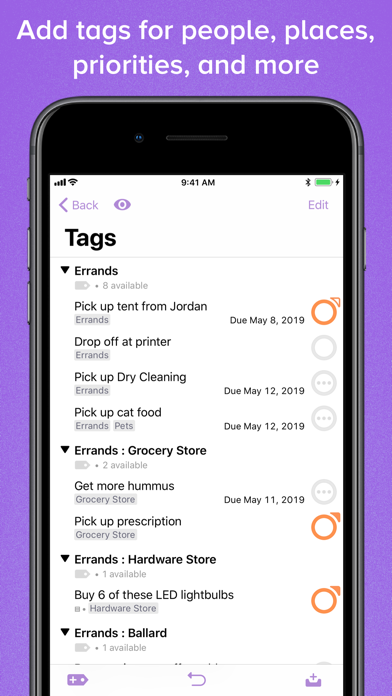
• NEW: Tags add a powerful additional organizing tool. Create tags for person, energy level, priority, location, and more.
• NEW: Batch editing lets you set due dates, tags, and other data for multiple tasks all at once
• NEW: Flexible inspectors allow you to show only the features you use, and reorder them so your favorites are where you want them
• NEW: The Forecast view shows your tasks and calendar events in order, so you can better see what’s coming up in your day
• NEW: Enhanced repeating tasks are easier than ever to set up — and they work with real-world examples such as the first weekday of the month
• Inbox is where you quickly add tasks — save them when you think of them, organize them later
• Syncing supports end-to-end encryption so that your data is safe wherever it’s stored, on our server or yours
• Notes can be attached to your tasks, so you have the information you need
• Attachments — graphics and audio — add rich information to your tasks
• View options let you customize each perspective by deciding what it should show and how it should filter your tasks
• The Review perspective t