SELPHY Photo Layout

SELPHY Photo Layout Summary
SELPHY Photo Layout is a free iOS app in Photo And Video by Canon Inc.. Released in Sep 2018 (8 years ago). It has 110K ratings with a 4.73★ (excellent) average. Based on AppGoblin estimates, it reaches roughly 80K monthly active users . Store last updated Oct 13, 2026
Recent activity: 173 new ratings this week View trends →
SDK intelligence: AppGoblin detected 2 development tools(e.g. Google), 1 ad networks,and 1 analytics: product integrated into SELPHY Photo Layout. View full SDK list →
SELPHY Photo Layout SDKs Summary
SELPHY Photo Layout was last scanned for SDKs on 2026-10-16. Below is the overview of third-party companies detected in the app. The full list of SDKs, permissions and unknowns is available here.
 Google
 nanopb
 Firebase
4.73★
Ratings: 110K
Screenshots



App Description
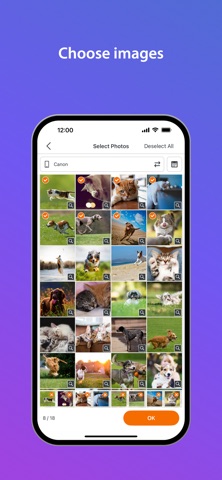
SELPHY Photo Layout is an application that allows you to create/save layouts of images to be printed with SELPHY using images stored on your smartphone or tablet.
[Key Features]
- Connect your smartphone or tablet wirelessly with SELPHY printers and enjoy high-quality photo printing.
("Canon PRINT" must be installed separately for CP1300, CP1200, CP910, and CP900.)
- Easily print photos directly from the ‘Photos’ menu.
- Decorate and layout your photos freely with the ‘Collage’ menu before printing.
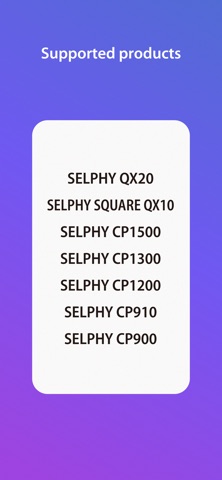
[Supported Products]
SELPHY CP Series
- CP1500, CP1300, CP1200, CP910, CP900*
SELPHY QX Series
- QX20, SQUARE QX10
[System requirement]
- iOS 17/18/26
- iPadOS 17/18/26
[Supported Images]
- JPEG, PNG, HEIF
[Supported Layouts / Functions ]
SELPHY CP Series
- Photos (Easily print an unmodified original photo)
- Collage (Have fun decorating or arranging multiple photos before you print)
- ID Photo (Print ID photos such as passport and driver’s license pictures from selfies.)
- Shuffle (Select up to 20 images, and they will be automatically arranged and printed on one sheet.)
- Custom Size (Print in any photo size)
- Tiling (split the photo into multiple tiles to print large)
- Snap a shot (Take a photo on the spot, decorate, and print)
- Bookmark (Print in a bookmark-style layout)
- Layout (Simply choose a photo to combine with a frame and print)
- Reprint (Print additional copies from your previously printed collection.)
- Collage Decoration Features (Include stamps, frames, text, paint tools, and embedded QR codes.)
- Pattern Overcoat Processing (Only for CP1500).
SELPHY QX Series
- Photos (Easily print an unmodified original photo)
- Collage (Have fun decorating or arranging multiple photos before you print)
- Custom Size (Print in any photo size)
- Snap a shot (Take a photo on the spot, decorate, and print)
- Layout (Simply choose a photo to combine with a frame and print)
- Reprint (Print additional copies from your previously printed collection.)
- Collage Decoration Features (Include stamps, frames, and text.)
- Pattern Overcoat Processing.
- Card & Square Hybrid Printing / Borderless & Bordered Printing (Only for QX20).
[Supported Paper Size]
- All available SELPHY-specific paper sizes for purchase *1
SELPHY CP Series
- Postcard Size
- L (3R) Size
- Card Size
SELPHY QX Series
- Square Sticker Paper for QX.
- Card Sticker Paper for QX