Catchit Road - Speed Control

Catchit Road - Speed Control Summary
Catchit Road - Speed Control is a with in-app purchases iOS app in Maps And Navigation by Addevice LLC. Released in Jul 2018 (7 years ago). It has 30 ratings with a 4.47★ (good) average. Based on AppGoblin estimates, it reaches roughly 47 monthly active users and generates around $<10K monthly revenue (100% IAP / 0% ads). Store metadata: updated Jun 19, 2019.
Store info: Last updated on App Store on Jun 19, 2019 .
4.47★
Ratings: 30
Screenshots


App Description
If you want to track your way in a real time without having road accidents or not to be late because of road works then Catchit – GPS is for you. It is a free app developed for iOS devices, so you needn’t to pay anything. It is the most advanced navigation app which has many smart navigation features. Join the Catchit-GPS speed control and enjoy your 3D offline map.
Driving will be great with this Android Catchit-GPS speed control road application which will give you important data about driving and streets starting from road works to road signs, cameras, etc. So, the drivers will become aware if there is an obstacle in the streets. Navi to reduce driving streets and protect yourself from risks on your route.
Android Catchit-GPS Mapquest app has ''Danger Type'' function in the app, which includes different types of danger, among them is ''Danger our Turn'' which will inform you about a Dangerous Turn if you reach any. While driving the drivers can also set the distance at which you would like the navigator to notify you. Lots of smart navigation features, beautiful 3D offline maps ang easy to use interface.
Features:
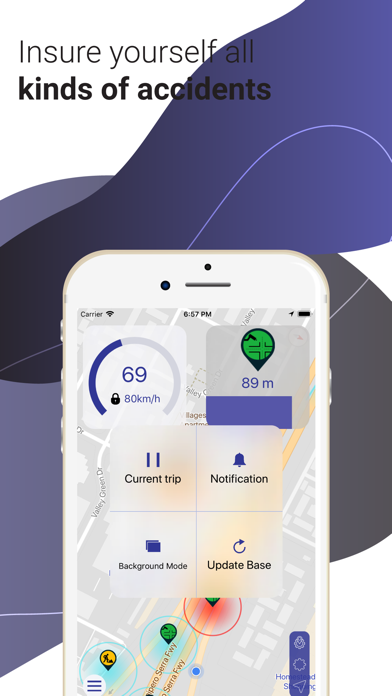
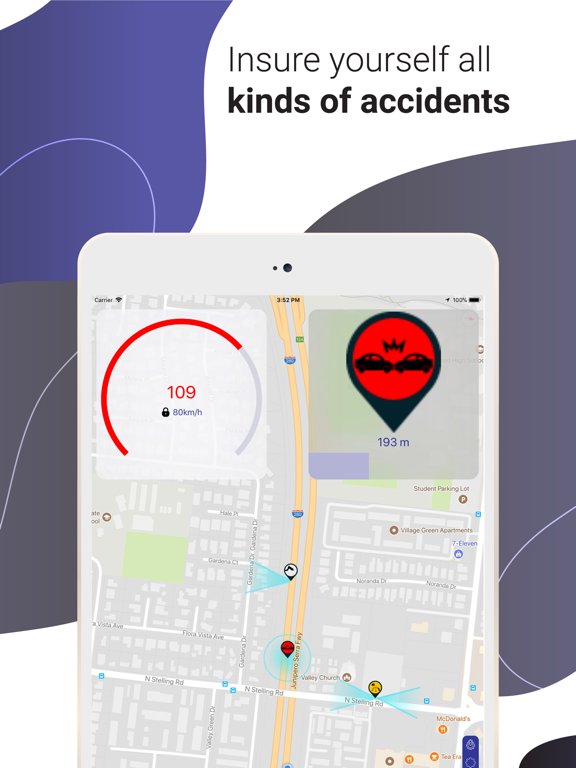
• ''Radar Range'' function will inform you about a danger such as cameras, road accidents, etc.
• Limit'' will inform about the exceed of the limit speed.
• ''Battery Save''- mode will keep the phone battery will last long in case your phone battery is low and it will limit some settings or the GPS will turn off automatically.
• ''Danger Type'' - you can switch off some signs if you don't want to get info about them, (e.g. if you don't want to get informed if there are road works you can turn that section off).
• Choose the distance at which the navigator will inform you about any feature relating to the road.
• Voice-guide GPS navigation with the precise directions. The app also gives the opportunity not to be notified during calls.
• ''My Trips''- allows to take a video of your route in, so that later you can have the story of your trip.
• ''Mirror Speed'' – enables to reflect the GPS image on the windscreen. So, it is possible to focus on the road and use the navigator at the same time, without looking elsewhere.
• Add the preferable sign into the app if you see that it isn't there.
• Take a video of their driving and save it on their phone.
• Your videos