OneMockup - Make Custom Mockup

OneMockup - Make Custom Mockup Summary
OneMockup - Make Custom Mockup is a free, with in-app purchases iOS app in Tools by Chengdu Reinvent Technology Co., Ltd.. Released in Mar 2018 (8 years ago). It has 1.2K ratings with a 4.50★ (excellent) average. Based on AppGoblin estimates, it reaches roughly 2K monthly active users and generates around $<10K monthly revenue (100% IAP / 0% ads). Store last updated Sep 22, 2026
OneMockup - Make Custom Mockup SDKs Summary
App not yet scanned for SDKs.
4.5★
Ratings: 1.2K
Screenshots



App Description
OneMockup - Make Custom Mockup
This is a new mockup app.
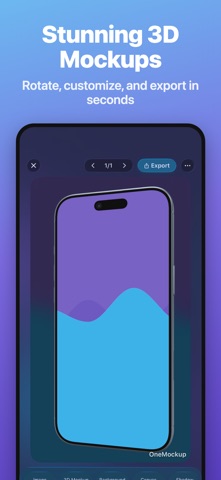
OneMockup is a excellent iOS Design Tool to create attractive mobile mockups. Create custom mockup images from over a dozen popular devices using your own uploaded screen captures.
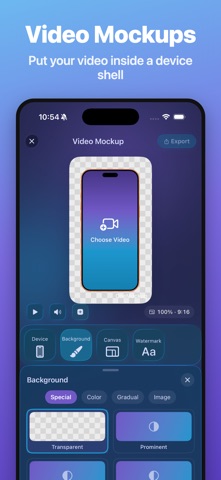
With OneScreen, you can choose suitable device mockup or template, add 3D Rotate、background、shadow、shift、scale、canvas... and other custom features.No Photoshop、No Sketch,Just OneScreen.
You can chose different models,different angles,different backgrounds to start.
#New Way#
There are many ways to make your work:
The Standard Mode/The Template Modem/The Effect Mode
#Mockup Maker#
1. Select any pictures in the album.
2. Support multiple models including X.
3. There are three types of common models.
4. Support 30 custom background colors.
5. Fast share to WeChat or save to album.
6.iPhone/iPad/iWatch Templates
7.Action Extension
8.Today Extension
9.Support URL Scheme
#From Templates#
1. Take two steps to create the mockup.
2. Browse the favorite templates in two ways.
3. Support common screen size.
4. The production process can quickly switch the template.
#New Features
1.Add Twitter Entry
2.Add Notch Template
3.Add Automatic Identification
4.Add Animation to Editing Buttons
5.Add Animation to Editing Process
6.Displays Two Columns by Default
7. Redesign the Mockup mode
8. Redesign the Template mode
9. Add pure picture effect mode
10. Add customization of 3D rotation, shadow, canvas, displacement, zoom, image filling, image rotation and image rounded corners
11. You can customize parameters,or adjusted using built-in parameters
#Upcoming#
1. All colors of all models support three angles.
2. Support multiple languages.
3. Add a variety of template sizes.
4. Optimize page dynamics and logic.
5. Sharing of new social platforms.
…
OneMockup offers auto-renewable subscriptions.
- Available plans, durations, and localized prices are shown on the purchase screen. Prices may vary by country or region.
- Payment will be charged to your Apple Account when you confirm the purchase.
- The subscription renews automatically unless you turn off auto-renew at least 24 hours before the end of the current period.
- Your Apple Account will be charged for renewal within 24 hours before the end of the current period.
- You can manage or cancel subscriptions in your App Store account settings after purcha