PDF Editor – PDF Whip

PDF Editor – PDF Whip Summary
PDF Editor – PDF Whip is a free, ad-supported, with in-app purchases iOS app in Business by Desygner Pty Ltd. Released in Apr 2018 (8 years ago). It has 1K ratings with a 4.60★ (excellent) average. Based on AppGoblin estimates, it reaches roughly 6.1K monthly active users and generates around $<10K monthly revenue (27% IAP / 73% ads). Store last updated Aug 9, 2026
SDK intelligence: AppGoblin detected 7 development tools(e.g. Airbnb Engineering), 3 ad networks, 2 analytics: product,and 2 business tools integrated into PDF Editor – PDF Whip. View full SDK list →
PDF Editor – PDF Whip SDKs Summary
PDF Editor – PDF Whip was last scanned for SDKs on 2026-05-21. Below is the overview of third-party companies detected in the app. The full list of SDKs, permissions and unknowns is available here.
AppGoblin saw PDF Editor – PDF Whip uses 2 Analytics: Product
 Amplitude
 Firebase
AppGoblin saw PDF Editor – PDF Whip uses 7 Development Tools
 Airbnb Engineering
 OpenID
 nanopb
 Google
AppGoblin saw PDF Editor – PDF Whip uses 2 Business Tools
 Twitter X
 Stripe
AppGoblin saw PDF Editor – PDF Whip uses 3 Ad Networks
 Facebook
 One Signal
4.6★
Ratings: 1K
Screenshots


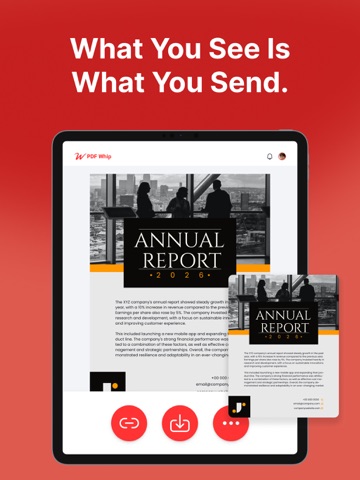
App Description
Most PDF editors change fonts, spacing, or layout.
PDF Whip is built to avoid that.
Edit PDFs properly — and get exactly what you expect.
Built in Australia. Your documents stay yours.
“THE BEST PDF EDITING APP”
Stuck With A PDF File You Can’t Edit?
Discover the ultimate PDF Editor – your all-in-one solution for efficient PDF Editing. Try it for free!
With PDF Editor powered by AI, you have freedom to edit any element in your PDF. Effortlessly edit any image, text or even sign. You can even merge and convert your PDF files into other types of documents easily. Whether you're a student, professional, or simply need to work with PDFs, we've got you covered.
Experience hassle-free editing with our user-friendly interface. Streamline your PDF workflow today!
WHY USE PDF EDITOR
• Edit Text and Images: Make quick and precise edits to your PDF documents. Change text, fonts and images as needed.
• Convert and Export in Multiple Formats: Save PDFs as Word, PPT or image files for versatile sharing and editing options.
• Resize any PDF: Click on resize and choose your new format in order to easily resize it to fit anywhere with the best quality.
• Merge PDFs: Combine multiple PDF files into a single document, perfect for reports, presentations and more.
• Secure Your PDFs: Protect sensitive data with password encryption. Keep your documents safe and confidential.
• Customize PDFs: Add watermarks, headers and footers for a professional touch.
• Cloud Integration: Seamlessly access and save PDFs from popular cloud storage services like Google Drive, OneDrive and Dropbox.
• Optimized Performance: Enjoy fast loading and smooth navigation through your PDFs, even with large files.
• User-Friendly Interface: Navigate our app with ease, thanks to an intuitive design and user-friendly controls.
USE PDF EDITOR TO CONVERT DOCUMENTS
• Convert PDF to high-resolution print or small web PDF files.
• Convert PDF to JPG and PNG.
• Convert PDF to Word.
• Convert any image to PDF.
• Convert Word to PDF.
• Convert PowerPoint to PDF.
• Convert Adobe Illustrator to PDF.
USE PDF TEMPLATES FOR YOUR NEW PROJECTS
• Documents
• Invoices
• Presentations
• Letters
• Resumes
• Flyers, business cards & more!
FREE YOURSELF TO EDIT ANY PDF
PDF Editor is your trusted partner for all your document editing needs. Get organized, collabora