SmileFun - face controlled fun

SmileFun - face controlled fun Summary
SmileFun - face controlled fun is a free, with in-app purchases iOS app in Games by Oleg Osipov. Released in Apr 2018 (8 years ago). Store last updated Oct 12, 2018
SmileFun - face controlled fun SDKs Summary
App not yet scanned for SDKs.
0★
Ratings: 0
Screenshots
App Description
*** Important: You need iPhone X or newer to play SmileFun ***
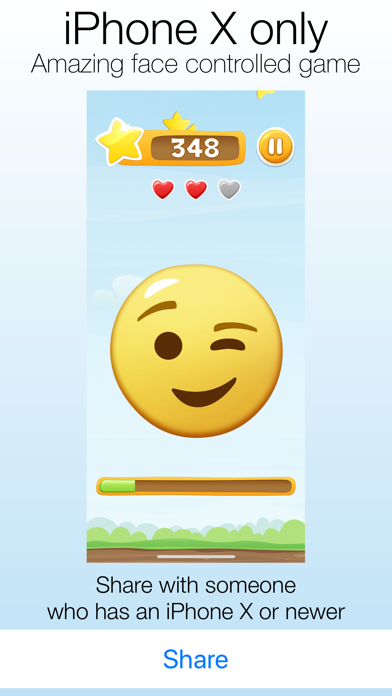
Every part of your face is important in this amazing game. Match your facial expression with app's emoji as fast as possible. The faster you do it, the more point you will get.
But remember, the game gets harder every round. It’s a fun and addicting game that you should check out.
An interesting face-controlled arcade game designed specifically for iPhone X's TrueDepth camera. SmileFun uses the sensor array as a game controller by monitoring the user's eyebrows, eyes and mouth. Play using just your facial expressions.
If you’re having difficulty with SmileFun recognizing your eyebrows, eyes and mouth, move to an area with more light and look directly at the phone. SmileFun uses the TrueDepth camera system on iPhone X to track your facial expression, meaning it cannot be played on devices without a TrueDepth camera system.
You need iPhone X or newer to play this game.
The payment and subscription terms:
Free trial terms:
Free trial for weekly subscription in SmileFun gives you unlimited access to gameplay for the duration of 3 days. Your account will be charged for renewal, in accordance with weekly subscription plan, within 24 hours prior to the end of the 3 day trial period.
You can cancel your free trial at any time before 24 hours prior to converting your account to a auto-renewable subscription.
Payment will be charged to your iTunes account at confirmation of purchase. Subscriptions will automatically renew unless auto-renew is turned off at least 24 hours before the end of the current period. Your account will be charged for renewal, in accordance with your plan, within 24 hours prior to the end of the current period. You can manage or turn off auto-renew in your Apple ID account settings any time after purchase.
Manage your subscription directly from your iPhone
Subscriptions may be managed by the user and auto-renewal may be turned off by going to the user’s Account Settings after purchase.
1. Tap the “Settings” icon on your mobile, then tap the “Store” icon.
2. Sign in with your iTunes ID.
3. Tap “View Apple ID” then “Manage App Subscriptions”.
4. You will be able to see when your next payment is due, or cancel your automatic renewal.
You may cancel your subscription at any time
Renewal of your weekly subscription is automatic.
You can cancel this aut