Leica DISTO Plan

Leica DISTO Plan Summary
Leica DISTO Plan is a free, with in-app purchases iOS app in Productivity by Leica Geosystems AG. Released in Jun 2018 (8 years ago). It has 1.8K ratings with a 4.17★ (good) average. Based on AppGoblin estimates, it reaches roughly 5.1K monthly active users and generates around $<10K monthly revenue (100% IAP / 0% ads). Store last updated Sep 28, 2026
SDK intelligence: AppGoblin detected 2 development tools(e.g. Google),and 1 analytics: product integrated into Leica DISTO Plan. View full SDK list →
Leica DISTO Plan SDKs Summary
Leica DISTO Plan was last scanned for SDKs on 2026-09-25. Below is the overview of third-party companies detected in the app. The full list of SDKs, permissions and unknowns is available here.
 Google
 nanopb
 Firebase
4.17★
Ratings: 1.8K
Screenshots



App Description
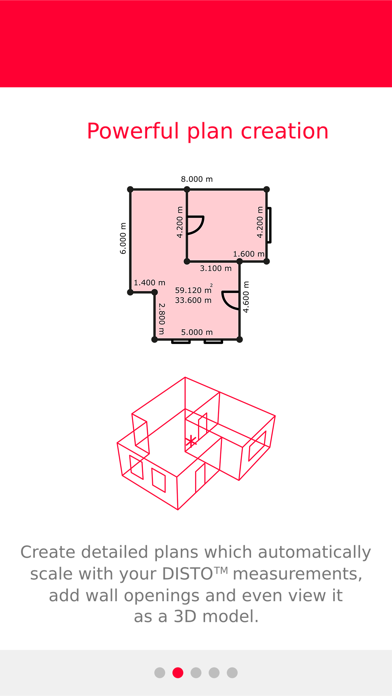
The Leica DISTO™ Plan app assists you with the vital task of documenting and visualizing your measurements. Fingers can be used to sketch a floor plan on a smartphone or tablet and corresponding measurements are easily assigned to each line of the plan. This way you can easily plan the next steps of your project.
Sketch Plan — create a scale drawing
Simply use your fingers to create a sketch on your smartphone or tablet. Then take corresponding measurements and assign them to the relevant lines of your sketch. The app’s ‘Auto-Scale’ function automatically adjusts the length of the lines, producing a scaled drawing showing the surface area and circumference. You can now improve the accuracy even further with the Diagonals feature. Producing a CAD-ready floor plan is that easy.
Smart Room — plan while you are measuring
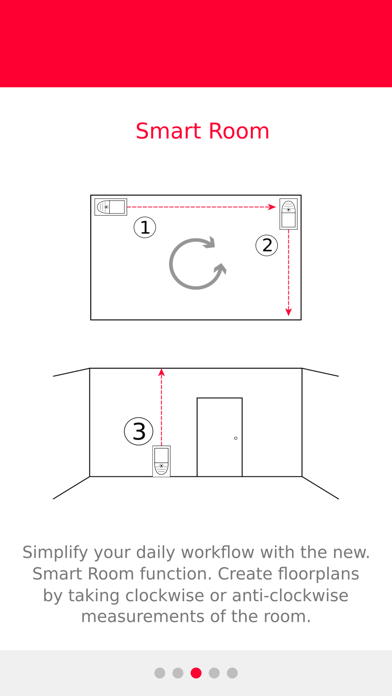
Smart Room makes it possible to create accurate floor plans simply by taking clockwise or counterclockwise measurements of a room. Once all measurements are taken, the app automatically generates the plan. The diagonals feature will further enhance accuracy.
Sketch on Photo — dimension objects in pictures
Leica DISTO™ Bluetooth® technology allows you to assign distance measurements to the appropriate part of a picture taken with your tablet or smartphone. This way you can document all your measurement results and easily process them later in the office.
Measure Plan — create as-build plans for CAD
The Leica DISTO™ app supports P2P technology which makes it possible to create detailed floor or wall plans, including doors and windows. Once complete, simply export your plans as a DXF or DWG file into your preferred CAD solution.
Measure Façade – create detailed wall layouts
Easily generate intricate wall layouts using P2P technology. This feature is designed for measuring 2D plans on vertical surfaces. You define a vertical plane, and the function will automatically project all measured points onto this plane for precision and clarity in your wall layouts. Then simply export your plans as a DXF or DWG file into your preferred CAD program.
Earthworks – determine exact excavation volumes
Thanks to P2P technology you can calculate precise excavation volumes, making it ideal for purposes such as billing and transport cost estimation. Simply measure the outline of the desired excavation and set the dep