Chrome River SNAP

Chrome River SNAP Summary
Chrome River SNAP is a free iOS app in Business by Emburse, Inc.. Released in Feb 2019 (7 years ago). Store last updated Oct 30, 2025
SDK intelligence: AppGoblin detected 1 development tools(e.g. Facebook),and 1 analytics: product integrated into Chrome River SNAP. View full SDK list →
Chrome River SNAP SDKs Summary
Chrome River SNAP was last scanned for SDKs on 2025-02-18. Below is the overview of third-party companies detected in the app. The full list of SDKs, permissions and unknowns is available here.
 Facebook
 Firebase
0★
Ratings:
Screenshots


App Description
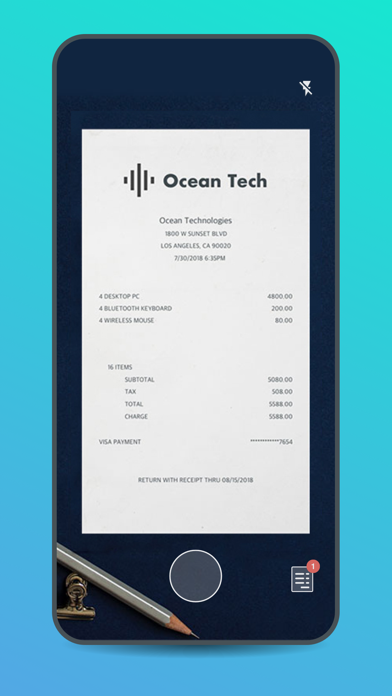
Managing paper expense receipts during a business trip can be a hassle and can slow down expense report creation and submission. Chrome River now offers Chrome River SNAP - an optional app for business travelers to eliminate the need to keep a stack of paper receipts and decrease the amount of time necessary to create an expense report later.
With Chrome River SNAP, you can:
• Capture and upload receipt images as expenses occur. Images will be uploaded to the Chrome River EXPENSE Receipt Gallery
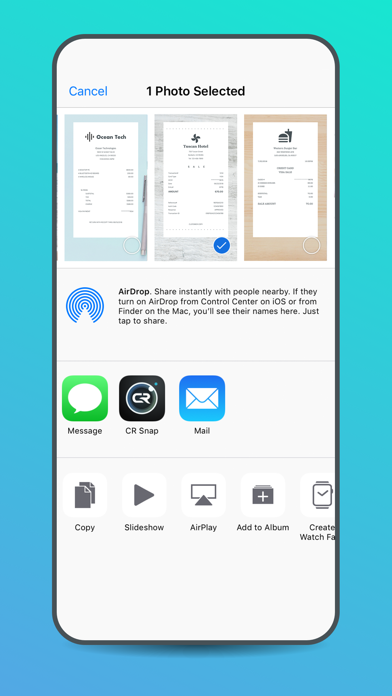
• Share existing receipt images from your smartphone's photo gallery app or third-party photo apps
• Separate your business from your personal life. Images taken with Chrome River SNAP are uploaded to the EXPENSE Receipt Gallery and are not saved to your personal photo library.
Here's how Chrome River SNAP works:
• Simply take a photo of a receipt using the Chrome River SNAP app and upload!
• Share an existing receipt image, open the image in any photo gallery app and tap the "share" icon and look for the CR SNAP icon to upload your image to the EXPENSE Receipt Gallery.
• Go to the Upload Gallery to review all the pending and successfully uploaded receipts sent from your device.
Notes:
This is a standalone utility app for capturing and uploading receipt images. To create and submit expense reports using the receipt images captured and uploaded automatically by this utility app, users should log into the Chrome River web app.
CAN I USE THIS APP WITHOUT AN INTERNET CONNECTION?
Yes! Whether you have an internet connection or not, you will be able to use Chrome River SNAP. There may be times when an internet connection is temporarily unavailable and in this case, the image will remain in Chrome River SNAP until you are in a location with a stronger connection, and it is then uploaded. We encourage you to not close the app until a green check mark has been designated to a photo, indicating that the photo has been successfully uploaded to Chrome River EXPENSE.
Learn more at www.chromeriver.com.
You must be an existing Chrome River EXPENSE user to use Chrome River SNAP.
System requirements: Chrome River's mobile apps support the most current generation and the 1 prior generation of iOS devices.