PDF Scanner App: TapScanner

PDF Scanner App: TapScanner Summary
PDF Scanner App: TapScanner is a free, with in-app purchases iOS app in Business by SMART MEDIA INTERNET MARKETING LTD. Released in May 2018 (8 years ago). It has 247K ratings with a 4.68★ (excellent) average. Based on AppGoblin estimates, it reaches roughly 1.1M monthly active users and generates around $10K+ monthly revenue (100% IAP / 0% ads). Store last updated Sep 16, 2026
Recent activity: 32 new ratings this week View trends →
SDK intelligence: AppGoblin detected 7 development tools(e.g. Google), 4 ad networks, 3 analytics: product,and 1 analytics: attribution integrated into PDF Scanner App: TapScanner. View full SDK list →
PDF Scanner App: TapScanner SDKs Summary
PDF Scanner App: TapScanner was last scanned for SDKs on 2026-07-26. Below is the overview of third-party companies detected in the app. The full list of SDKs, permissions and unknowns is available here.
 Google
 Facebook
 AdMob
AdMob Snap
Snap Airbnb Engineering
 nanopb
 Alamofire
 AppsFlyer
 Firebase
 Amplitude
 Mixpanel
4.68★
Ratings: 247K
Screenshots



App Description
Scan, Print & Share any document to PDF.
The new home for all your paper documents.
Now you can simply scan, import and share right inside the best portable scanner app. Access everything you’ve previously scanned with the TapScanner app.
Why TapScanner?
Join over 100 Million satisfied users all over the world who trust TapScanner to be their tiny portable scanner.
Scan to PDF
• Scan any document and convert to PDF with your mobile device.
• TapScanner has got you covered with our pdf maker and pdf reader. Receipts, documents, business cards, whiteboards, ID’s, books and photos - From image to pdf immediately
• Scanning made easy
• Get your documents auto cropped and sorted in the way you need them
• Save time cropping each document
Finish your paperwork from anywhere
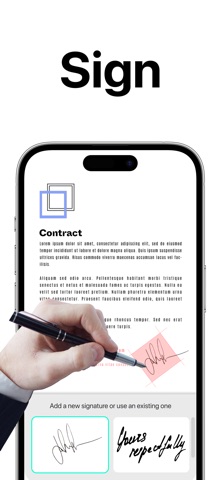
• Use the best document scanner to attach an E-signature using pdf sign tools.
• Mark and edit fields to add everything you need with an intuitive pdf viewer.
Get the perfect scan - Enhance with Filters
• Powerful filters that will make your documents look professional
• Remove shadows to enhance your scans
• Port to black and white or adjust contrast and brightness
Backup to Cloud
• Just like that, scans on your phone are backed up to your favourite cloud.
• TapScanner’s PDF converter ensures you store a high-quality PDF output from our mobile scanner
Edit text from your scans
• Convert image to text - Edit your scans with OCR
• Export accurate text straight from your docs
• Unlock content and extract text from images through OCR with automated text recognition enhanced by machine learning algorithms
• Read QR codes with the built in QR scanner which supports links, text ISBN and emails - simply access the Qr code reader in the cam scan module
PDF Editor
• Pdf splitter - simply import a pdf file and TapScanner will Split PDF
• It’s never been easier to split pdf into a number of pdf files
Manage your files
• Merge PDF files together to make editing easier
• Combine PDF files quickly to organize your files
Convert files
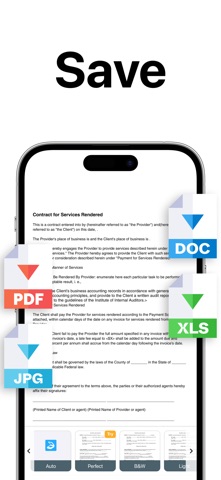
• Share your files in the format you need: convert jpg to pdf files or convert pdf to jpg
• Need a document in word? Convert PDF to word, word to PDF for easy editing
• PDF to docx function will save you time
•PDF to doc functionalities will help you manage your finances
• Magically take images from your cam