My Scanner: Scan to PDF & Edit

My Scanner: Scan to PDF & Edit Summary
My Scanner: Scan to PDF & Edit is a free, ad-supported, with in-app purchases iOS app in Business by Dream App Studio UAB. Released in May 2020 (6 years ago). It has 58K ratings with a 4.69★ (excellent) average. Based on AppGoblin estimates, it reaches roughly 235K monthly active users and generates around $10K+ monthly revenue (30% IAP / 70% ads). Store last updated Sep 28, 2026
Recent activity: 68 new ratings this week View trends →
SDK intelligence: AppGoblin detected 5 development tools(e.g. Google), 3 ad networks, 1 analytics: product, 1 analytics: attribution,and 1 business tools integrated into My Scanner: Scan to PDF & Edit. View full SDK list →
My Scanner: Scan to PDF & Edit SDKs Summary
My Scanner: Scan to PDF & Edit was last scanned for SDKs on 2026-10-10. Below is the overview of third-party companies detected in the app. The full list of SDKs, permissions and unknowns is available here.
 Google
 Facebook
 Snap
Snap nanopb
 Alamofire
 MongoDB
 Firebase
 Adjust
 Adapty
4.69★
Ratings: 58K
Screenshots


App Description
Meet My Scanner – your intelligent all-in-one document and productivity companion. Whether you're scanning receipts, editing PDFs, or creating content with AI, My Scanner transforms your device into a powerhouse for getting things done—faster, smarter, and paper-free.
SCAN. EDIT. WRITE. SOLVE. ALL IN ONE PLACE.
Designed for professionals, students, and everyday users alike, My Scanner delivers the tools you need to take control of your documents and solve your office and educational tasks - all from your iPhone or iPad.
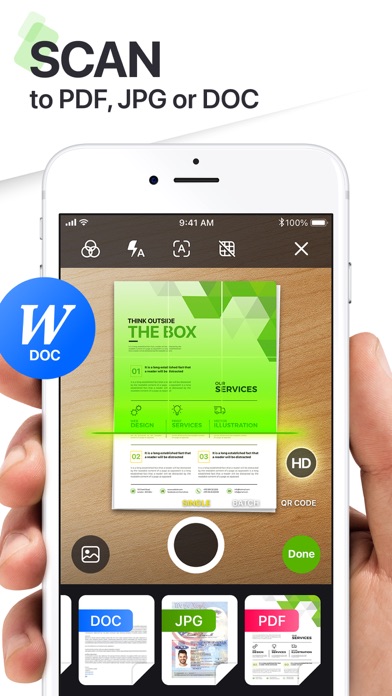
ULTRA-FAST PDF SCANNER
• Scan documents, books, notes, or whiteboards in seconds
• Smart edge detection & auto-enhancement for crystal-clear quality
• Export as high-resolution PDFs or JPGs
ADVANCED PDF EDITOR
• Add text, highlight, underline, or draw directly on your PDFs
• Fill out forms, add e-signatures, or annotate effortlessly
• Rearrange, merge, split, and organize pages with drag-and-drop simplicity
BUILT-IN AI WRITING ASSISTANT
• Write smarter with your personal AI writing companion
• Draft emails, create essays, brainstorm ideas, summarize text & more
• Rewrite, correct grammar, and even generate content tailored to your style
• Available 24/7—no typing limits, no creative blocks
SECURE & PRIVATE
• Keep your documents safe with Face ID, Touch ID, or passcode protection
• Offline scanning and editing to protect your privacy
MORE SMART TOOLS & UTILITIES
- AR Ruler: Instantly measure objects or distances using augmented reality
- Object Counter: Use your camera to count multiple items in real time
- ID Photo Maker: Create compliant ID photos in seconds—passport, visa & more
- Math & Science Solver: Scan handwritten or printed equations and get instant solutions
- Invoice Creator: Generate professional invoices on the go
- Tax Form Filler: Easily complete and export tax documents
- Text Extractor (OCR): Pull editable text from any image or scanned page
- E-Sign Documents: Sign contracts and official documents digitally and securely
- PDF Converter: Quickly convert PDFs to and from various formats including Word, Excel, PowerPoint, images, and more — all without leaving the app
WHY USERS LOVE MY SCANNER
• Combines powerful scanning with intelligent AI writing
• Replaces multiple apps with one seamless productivity tool
• Works offline for scanning & editing, with full privacy control
• Sl