Picture Editor+ : Photo Layers

Picture Editor+ : Photo Layers Summary
Picture Editor+ : Photo Layers is a free, ad-supported, with in-app purchases iOS app in Photo And Video by Andor Communications Private Limited. Released in Sep 2018 (8 years ago). It has 7.7K ratings with a 4.55★ (excellent) average. Based on AppGoblin estimates, it reaches roughly 2.2K monthly active users and generates around $<10K monthly revenue (27% IAP / 73% ads). Store last updated Aug 7, 2026
Recent activity: -1 new ratings this week View trends →
Picture Editor+ : Photo Layers SDKs Summary
App not yet scanned for SDKs.
4.55★
Ratings: 7.7K
Screenshots


App Description
PhotoLeaf : Explore creativity by sleight of hand
PhotoLeaf is a powerful, full-featured, layer-based photo editing app at your fingertips.
Photo Leaf and a little imagination can make beautiful photo even more beautiful.
PhotoLeaf is a photo editing app for everyone : whether you are novice, a pro user or mobile graphic designer.
PhotoLeaf app will easily create amazing multi-layered creative with touch of your fingers.
Enjoy All rendering, adjustments, brushes and filters are fully hardware accelerated.
Overview:
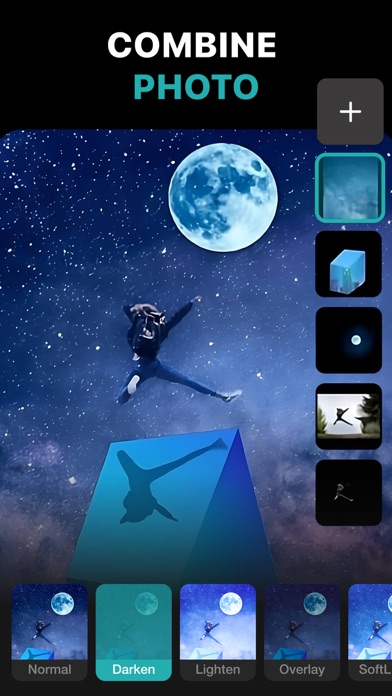
• Blend your photos, combine multiple images using layers
• Superimpose photos using complex blending modes.
• Remove unwanted objects from your image easily.
• Custom overlay supported for more flexibility.
• Add text layers, shapes and images to create stylish design creative.
• Blur, sharpen, lighten, or darken portion/area of an image
• Multiple mask modes can be applied on an area. Brush Mask, Color Mask, radial mask, Luminance mask
Color correction Like A Pro:
• Adjust the brightness and saturation of a color using Hue, Saturation, Lightness
• Single-tap color correction presets with color balance, Temperature, Tint, Vibrance, Saturation.
• Control the intensity of the respective color channels in the image with Curves: RGB, blue, red, green channels
• Color correction with Levels
• Tonal color correction with : Highlight and shadow tone, Tone balancing
Light Adjustments:
• Light: Exposure, Brightness, Contrast, Highlights, Shadows, Whites, Blacks,
• Vignette: Amount, Highlights, Roundness
General tools & features:
1. Cutout and Photo Background Changer
• Use Lasso tool to recognise similar regions and change photo background
• You can superimpose your cutout on any photo background and create new content
2. Color Splash Photo Effects
• Selectively apply different color, light and gray photo effects on different regions of photos
• Smart lasso tool to automatically select similar color splash regions
• Powerful brush to selectively edit images
3. Merge photos
• Mix photo to create impressive photo effects
• Merge photos using different blend modes like darken blend, lighten blend to create double exposure, multiple exposure photo effects
4. Doodle and drawings
• Use different doodle brush options to draw on your images
• Change color, thickness and size of your doodle bru