Kodika - No Code App Builder

Kodika - No Code App Builder Summary
Kodika - No Code App Builder is a with in-app purchases iOS app in Developer Tools by Konstantinos Antonopoulos. Released in Jul 2019 (6 years ago). It has 19 ratings with a 3.05★ (mixed) average. Based on AppGoblin estimates, it reaches roughly 52 monthly active users and generates around $<10K monthly revenue (100% IAP / 0% ads). Store metadata: updated Jan 18, 2023.
Store info: Last updated on App Store on Jan 18, 2023 .
3.05★
Ratings: 19
Screenshots

App Description
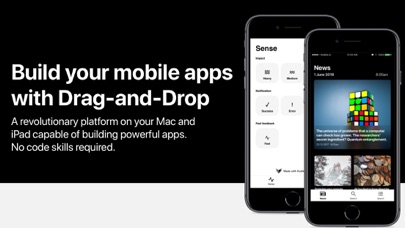
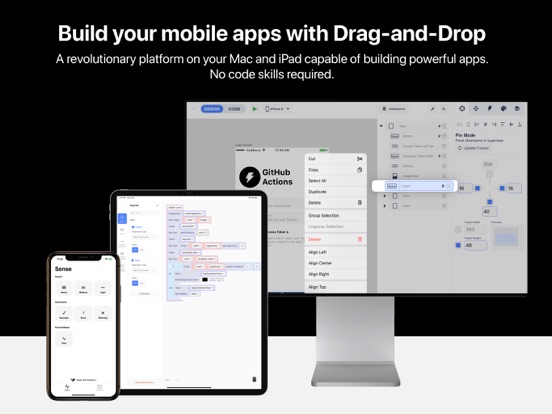
Create unique, native mobile applications without any coding skills, only with drag and drop!
Design custom screens, give them life by connecting code blocks, link your REST API and later live test your apps in the Kodika app, without the need for other external tools.
• Responsive Design Editor
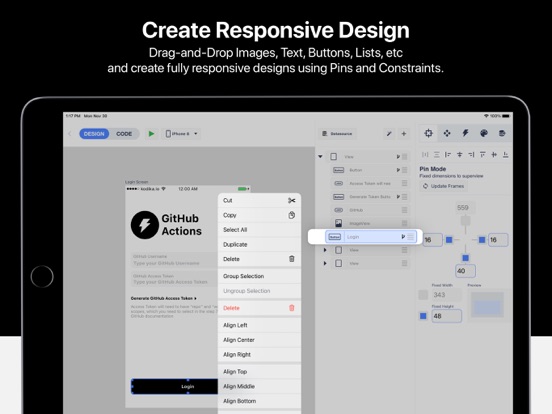
- Drag and Drop any native iOS design component.
- Customize everything using Inspectors. No coding skills required.
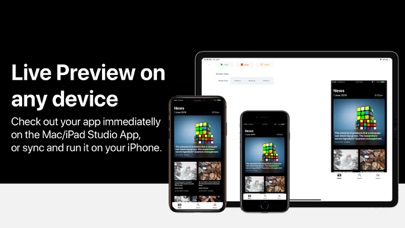
- Instantly preview your changes.
- Use Pins and Advanced Constraints to create Responsive designs for every iPhone Device.
• Kodika Server
Kodika Server is the optimal solution to manage all your backend requirements on Kodika Platform.
- Email User Authentication, Auto-Scalable Database, Daily Backup, Images Storage
- Store your Users and Data without the hustle of setting and maintaining your own server.
- Create a dedicated server for your app in 2 minutes.
• In-App Purchases - Payments Integration
Integrate In-App Purchases in your applications without code.
- Subscriptions and one-off products are supported.
- Easy to use design elements to show price or to purchase a product.
• Import Screens from Zeplin.io
- Import entire screens using our Zeplin Extension
- Transform Groups to Buttons, TextFields, and other Design Elements.
• Code Blocks
- Combine easy to use code blocks to create your apps.
- Search between hundreds of code blocks using Kodika's unique blocks search.
- Connect your design elements and code blocks with just a tap.
- Integrate with 100+ plugins, like HealthKit, Contacts, CSV, QR Scanner and more...
• REST API
- Import your REST API Endpoints and use them with just a block.
- Support any request type (GET, POST, PUT, DELETE, PATCH) and parameter type (query, path, body, header).
- Autogenerate Data Models from the responses and visually connect them to your designs.
• API Datasource
- Make the connection of API Requests with your design easier than ever.
- Bind your parameters and responses with your elements.
• Connect Design and Data with just a Tap
- Use our intuitive editor that helps you connect your Design with your Data and API, with just a tap.
- Connect your Data models to the Design components.
• Custom Fonts
- Search and download Google Fonts.
- Import your font files.
• Push Notifications
- Setup and then send your push notifications to your application’s users, all from yo