eSchool Agenda

eSchool Agenda Summary
eSchool Agenda is a mobile iOS app in Education by eSchool. Released in Sep 2018 (7 years ago). It has 377 ratings with a 2.86★ (poor) average. Based on AppGoblin estimates, it reaches roughly 427 monthly active users . Store metadata: updated Mar 6, 2026.
Recent activity: 1.00 new ratings this week View trends →
Store info: Last updated on App Store on Mar 6, 2026 .
2.86★
Ratings: 377
Screenshots



App Description
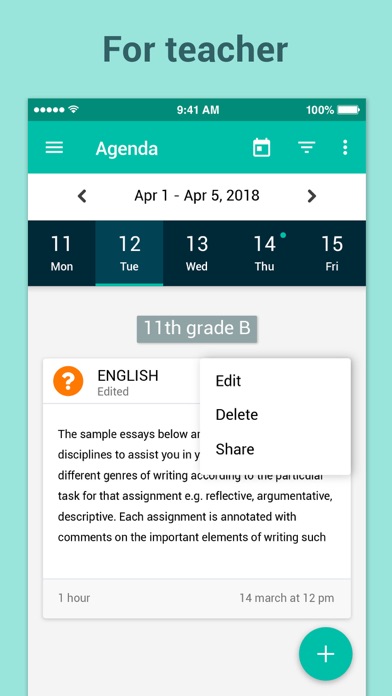
eSchool Agenda is one of eSchool's App Suite for schools. It can be accessed through your eSchool account as a teacher, parent or student. eSchool Agenda makes it easy for learners and instructors to connect—inside and outside of schools. Agenda saves time and paper, and makes it easy to distribute assignments, quizzes, exams, and stay organized.
There are many benefits to using Agenda:
• Easy to set up – once teachers/parents or students log in, each will see their own configuration (Classes, courses ...).
• Saves time – The simple, paperless assignment workflow allows teachers to create, review and grade assignments quickly, all in one place.
• Improves organization – Students and parents can see all of their assignments and school events on the agenda and calendar pages and all class materials attached to the assignments. Students can view the lessons took in each course in Journal's page.
• Enhances communication – Agenda allows teachers to send homework, questions or exams. Students can send attachments to teachers on assignments open discussion with the teacher and provide answers to questions.
• Affordable and secure – Like the rest of eSchool Apps, Agenda contains no ads, never uses your content or student data.
Permissions Notice:
Camera: Needed to allow the user to take photos or videos and post them to Agenda.
Storage: Needed to allow the user to attach photos, videos, and local files to Agenda.
Notification: Needed to receive notifications on Agenda.