PNB ONE

PNB ONE Summary
PNB ONE is a free iOS app in Finance by PNB. Released in Jan 2019 (7 years ago). It has 38K ratings with a 3.82★ (average) average. Based on AppGoblin estimates, it reaches roughly 347K monthly active users . Store last updated Sep 2, 2026
Recent activity: 132 new ratings this week View trends →
SDK intelligence: AppGoblin detected 4 development tools(e.g. Google),and 2 analytics: product integrated into PNB ONE. View full SDK list →
PNB ONE SDKs Summary
PNB ONE was last scanned for SDKs on 2026-07-09. Below is the overview of third-party companies detected in the app. The full list of SDKs, permissions and unknowns is available here.
 Google
 Facebook
 Expo
Expo SDWebImage
 Firebase
 MoEngage
3.82★
Ratings: 38K
Screenshots


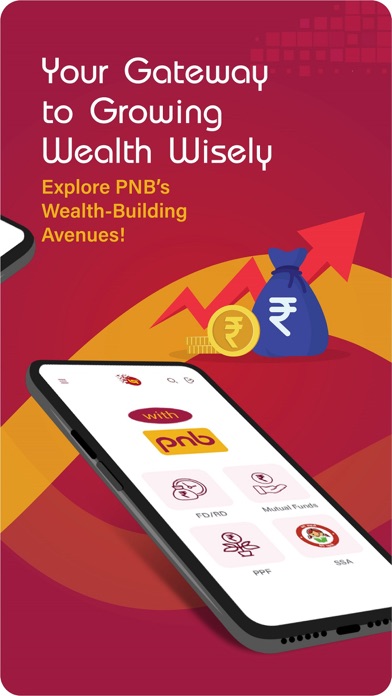


App Description
PNB ONE is an amalgamation of various banking processes being delivered through single platform. This is an all in one application which allows you to transfer funds, view account statement, invest in term deposits, manage debit card & credit card and many other exclusive services at your fingertips.
Services Available / Features of PNB ONE
a) Interactive Interface
(i) Redesigned dashboard with more features available on the dashboard
(ii) Access all the accounts on the dashboard itself.
b) Accounts
(i) All accounts will be displayed in illustrative manner. ( Savings, Deposits, Loan, Overdraft, Current)
(ii) Detailed view of account statement
(iii) Check Balances
c) Transfer Funds:
(i) Regular Transfers - “Self” (for own accounts), “Within” (for PNB accounts) & “Other” (for non-pnb accounts) will be there.NEFT/IMPS/UPI for Interbank fund transfers.
(ii) Instant Transfers (without adding beneficiary) - IMPS using MMID and Quick Transfer without adding beneficiary.
(iii) Indo- Nepal Remittance
d) Invest funds
(i) Open a term deposit account
(ii) Mutual Funds
(iii) Insurance
e) Transactions
(i) My transactions will display all the recent transactions
(ii) My Favorite Payee will show list of recent payees
(iii) Schedule a transaction
(iv) Recurring transactions
f) Safe and secure
(i) Sign in much faster and simpler with your fingerprint
(ii) 2 factor authentication
(iii) Encryption
g) Manage Debit Card
(i) Apply for a new card
(ii) Update limits of ATM withdrawal, POS/ Ecomm transaction
(iii) Hotlist debit card
h) Manage Credit Card
(i) Link/De link Credit Card
(ii) Auto Payment Registration
(iii) Auto Payment De-Registration
(iv) Change card limit
(v) Statement on e-mail
(vi) Damaged card replacement
i) Unified Payment Interface (UPI)
(i) Send/ Collect money through UPI
(ii) Transaction History
(iii) Complaint Management
(iv) User Deregistration
j) Scan & Pay (BHARAT QR):
(i) Make Payment by scanning QR directly.
(ii) Link your cards once and make the payment directly from the account.
k) Pay Bills/Recharge:
(i) Register your biller pertaining to Mutual find, Insurance, Telecom, Electricity, DTH, credit card etc.
(ii) Pay bills directly to your registered biller.
l) Languages: Available in English and Hindi
m) Cheques
(i) Inquire Cheque Status
(ii) Stop Cheque
(iii) Request for Chequ