Sound Spectrum Analysis
Sound Spectrum Analysis Summary
Sound Spectrum Analysis is a with in-app purchases iOS app in Tools by Dmitriy Kharutskiy. Released in Sep 2018 (7 years ago). It has 134 ratings with a 3.77★ (average) average. Based on AppGoblin estimates, it reaches roughly 323 monthly active users and generates around $<10K monthly revenue (100% IAP / 0% ads). Store metadata: updated Feb 16, 2026, version 35.
Data tracking: SDKs and third-party integrations were last analyzed on Apr 18, 2026.
Store info: Last updated on App Store on Feb 16, 2026 (version 35).
3.77★
Ratings: 134
Screenshots

App Description
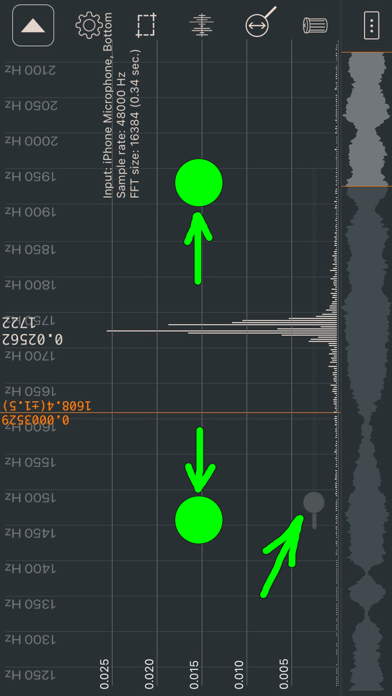
The application is designed for analysis of a sound spectrum in real time (with a microphone). Besides, the application can be used as a measuring instrument of noise level (not for exact measurements).
• Sound wave.
• Fast fourier transform (FFT). FFT size: 2048 (the accuracy of determining the frequency of ±12 Hz), 4096 (±6 Hz), 8192 (±3 Hz), 16384 (±2 Hz), 32768 (±1 Hz), 65536 (±0.5 Hz), 131072 (±0.2 Hz).
• Linear and logarithmic frequency scale.
• Linear frequency scale with maximum details (there is a choice for the displayed frequency range).
• Linear and logarithmic amplitude scale.
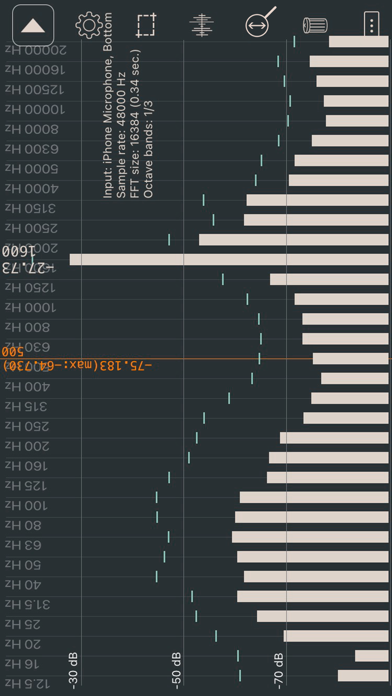
• Octave bands (1/1, 1/3, 1/6, 1/12).
• Window functions (Blackman, Hamming, Hann (Hanning), Blackman–Nuttall, Gaussian, Flat top).
• A- and C-Weightings.
• Peak hold.
• Exponential spectrum averaging.
• Peak frequency detection.
• Values of any point (for frequency scale and sound wave (at maximum detail)).
• Sound level meter (dB SPL). You can calibrate your microphone by launching a signal generator with a sinusoid frequency of 1000 Hz on another device and making the volume very low. When the sound is almost inaudible, it is necessary to find the amplitude for the frequency of 1000 Hz on the spectrum (FFT size: 16384). This value should be multiplied by 1.2 (to compensate for spectral leakage). It will be the reference value for your microphone. ESTIMATE THE TOTAL NOISE LEVEL BY USING THE SOUND WAVE MODE AT THE MAXIMUM VALUE.
• Sample rate: 48000 Hz.
• Taking a screenshot by lightly touching the screen.
• Export data to a WAV or text file ("Y=[y1 y2... yn]", "y1;y2;... yn", "x1;y1\nx2;y2;..."). Number of points is adjusted via "FFT size".
• Automatic stop in the sound wave mode (when increasing or decreasing signal strength).
• Automatic stop in the spectrum mode. Now you can stop data collection when the start of the fading signal reaches the end of the FFT buffer. The beginning of the signal is not calculated accurately (just like with an automatic stop in the sound wave mode).
• Test wave.
• Saving the measurement results in the application. Files with saved data (SavedData_[date]_[time].txt) can be copied to a desktop/laptop computer or transferred to another iPhone using iTunes. There are buttons for quick loading and comparing saved files.
• Dark theme.
• List of frequency peaks. If several peaks have a common