Share Up : WiFi File Sharing

Share Up : WiFi File Sharing Summary
Share Up : WiFi File Sharing is a with in-app purchases iOS app in Lifestyle by Mudasser Khalid. Released in Oct 2018 (7 years ago). It has 3.00 ratings with a 2.33★ (poor) average. Based on AppGoblin estimates, it reaches roughly 6.00 monthly active users and generates around $<10K monthly revenue (100% IAP / 0% ads). Store metadata: updated Nov 1, 2018.
Store info: Last updated on App Store on Nov 1, 2018 .
2.33★
Ratings: 3.00
Screenshots



App Description
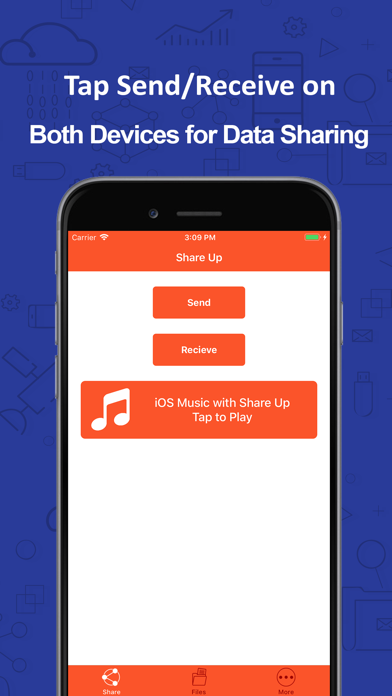
If you are tired of the slow file sharing and data transfer via Bluetooth and the tangled mess of cables, then Data Transfer and File Sharing app can help you resolve this problem. The Data Transfer and File Sharing app brings you the solution to all your sharing, transfer and copying of data problems. With this app you can easily share data among different iOS devices without connecting via Bluetooth or by using the cables and connecting with a PC. This file sharing and data transfer app offers various features that makes file transfer and data sharing easy and convenient among iOS devices. The salient features of the app are listed below.
Transfer Files – The first and primary feature of Data Transfer and File Sharing app is that it allows you to transfer all kinds of files with your friends without connecting to Bluetooth or with cables. You can select the file that you want to share and by being on the same wifi network you can share the files with other iOS devices.
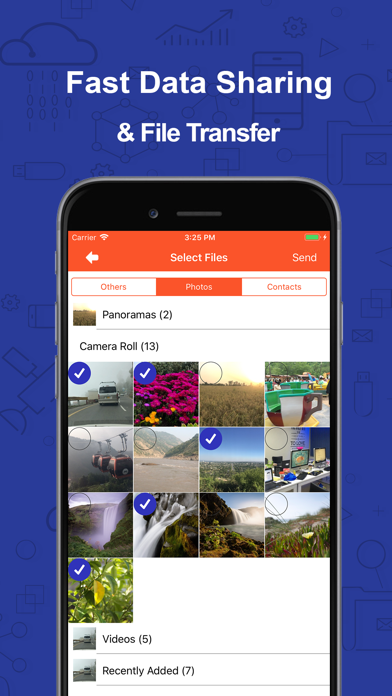
Share Photos – The other feature of the app is that it allows you to share photos and images conveniently. With this data sharing and file transfer app you can easily share photos and images of all sizes across various other devices with speed.
Copy Contacts – With Data Transfer and File Sharing app you can easily copy contacts from one device to the other. Now you don’t need to worry about saving contacts on various platforms, rather you can easily share them with your friends with a single tap.
Share Music – If you want to spread and share your taste of music with your friends, then Data Transfer and File Sharing app allows you to share music in a matter of moments. Select the music you want to share from the gallery and simply transfer file over the wifi network to the over iOS device.
Send Documents – In addition to copying contacts and sharing photos you can also share and send documents through File Transfer and Data sharing app once you are connected with the other device over the wifi network.
Easy Connectivity – The connectivity of devices running Data Transfer and File Sharing app is quite convenient. For the file transfer and data copying to take place, all you have to do is to be connected with the other device on the same network. After that it is just a moment of selecting photos to be shared or the contacts to be copied. Once you are connected over the wifi