MyNISSAN®

MyNISSAN® Summary
MyNISSAN® is a free iOS app in Tools by Nissan North America Inc.. Released in Oct 2019 (7 years ago). It has 106K ratings with a 4.82★ (excellent) average. Based on AppGoblin estimates, it reaches roughly 266K monthly active users . Store last updated Oct 6, 2026
Recent activity: 241 new ratings this week View trends →
SDK intelligence: AppGoblin detected 5 development tools(e.g. Google), 3 analytics: product, 2 business tools, 1 ad networks,and 1 analytics: attribution integrated into MyNISSAN®. View full SDK list →
MyNISSAN® SDKs Summary
MyNISSAN® was last scanned for SDKs on 2026-08-10. Below is the overview of third-party companies detected in the app. The full list of SDKs, permissions and unknowns is available here.
 Google
 Airbnb Engineering
 nanopb
 Alamofire
 Branch
 Firebase
 Google Analytics
 Adobe
Adobe Dynatrace
 Alchemer
4.82★
Ratings: 106K
Screenshots


App Description
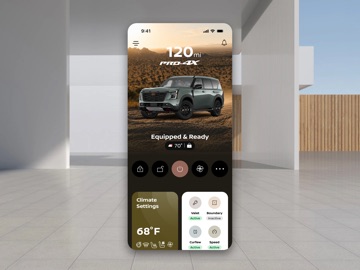
Meet the All-New MyNISSAN app, your personalized companion for a smarter and more connected ownership experience built for Nissan owners. Access compatible remote vehicle controls, check vehicle information, manage service and account needs, and discover relevant offers, accessories, subscriptions, and ownership tools in one intuitive place. You'll find a refreshed app design, simplified onboarding, personalized content, and improved performance.
**Features and availability may vary by vehicle model, model year, trim level, subscription status, package options, eligibility, and market. Certain features require an active NissanConnect® Services subscription, compatible vehicle, and/or supported mobile device. Connectivity service required. Data rates may apply. Only use features when safe and legal to do so. For important safety information, system limitations, and additional operating and feature information, visit www.nissanusa.com/connect/legal