PDF Scan - MAX Scanner

PDF Scan - MAX Scanner Summary
PDF Scan - MAX Scanner is a free, ad-supported, with in-app purchases iOS app in Productivity by Govarthani Rajesh. Released in Oct 2018 (8 years ago). It has 148 ratings with a 4.66★ (excellent) average. Based on AppGoblin estimates, it reaches roughly 407 monthly active users and generates around $<10K monthly revenue (28% IAP / 72% ads). Store last updated Apr 8, 2026
PDF Scan - MAX Scanner SDKs Summary
App not yet scanned for SDKs.
4.66★
Ratings: 148
Screenshots

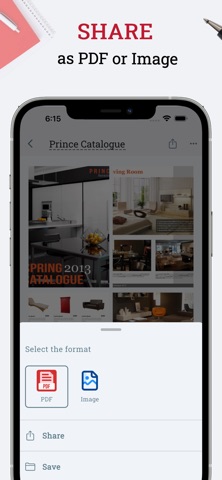


App Description
Max Scanner is OCR & PDF scanning app that turns your phone into Document Scanner.
Scan paper documents, receipts, IDs, and photos, convert images to PDF, and extract text from images using OCR. Create searchable PDFs in seconds and manage them easily.
• PDF Scanner – scan documents with automatic edge detection
• OCR (Image to Text) – extract and edit text from images
• Image to PDF Converter – create single or multi-page PDFs
• Cloud Sync – back up and sync documents with Google Drive
• PDF Tools – compress, merge, split, reorder, and protect PDFs
• Edit & Sign PDFs – annotate, highlight, and add digital signatures
Download Max Scanner – scan documents, use OCR, create PDFs, and sync to the cloud.
Subscription Plans
Monthly Plan – $5.99
• Unlimited scans & OCR
• Ad-free access
Yearly Plan – $60.99
• Unlimited scans & OCR
• Ad-free access
Subscription Info
Payment is charged to your iTunes account at purchase. Subscriptions auto-renew unless canceled at least 24 hours before the end of the current period. You can manage or cancel subscriptions anytime in your Account Settings. Any unused free trial will be forfeited upon purchase.
Privacy Policy: https://appzys.com/ios/smartscanner/privacypolicy
Terms of Service: https://appzys.com/ios/smartscanner/termsofuse