Vocal Extractor -Karaoke maker

Vocal Extractor -Karaoke maker Summary
Vocal Extractor -Karaoke maker is a with in-app purchases iOS app in Music And Audio by Hikaru Tsuyumine. Released in Nov 2018 (7 years ago). It has 2.1K ratings with a 4.33★ (good) average. Based on AppGoblin estimates, it reaches roughly 7.6K monthly active users and generates around $<10K monthly revenue (100% IAP / 0% ads). Store metadata: updated May 10, 2026.
Store info: Last updated on App Store on May 10, 2026 .
4.33★
Ratings: 2.1K
Screenshots

App Description
Feature Overview
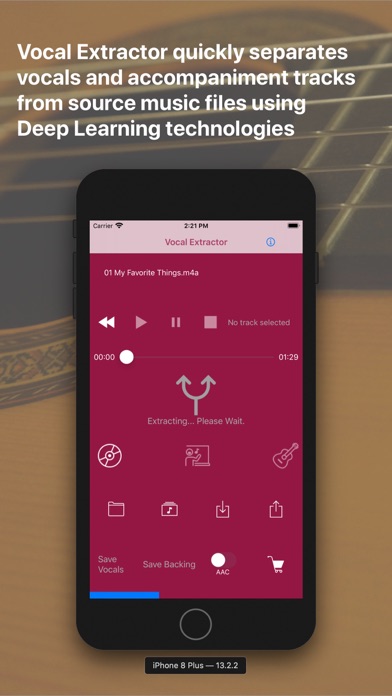
Vocal Extractor separates songs in your Music Library into vocals and accompaniment with just a tap of a button on the main screen (*1), instantly creating karaoke and a cappella tracks.
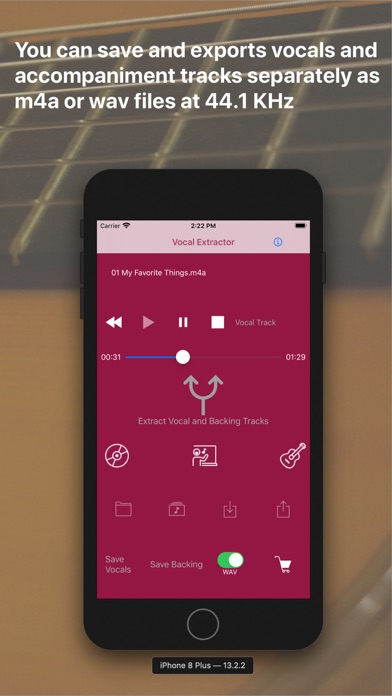
The generated vocal and backing (karaoke) tracks can be saved as files and exported to iCloud, Dropbox, Google Drive, and other platforms. This allows you to use the isolated tracks in other applications or on different platforms (*2).
Unlike traditional apps based on OOPS (Out of Phase Stereo) technology, Vocal Extractor leverages AI and deep learning to separate vocals from songs, including monaural recordings and tracks where the vocals are not center-panned—cases where traditional apps cannot remove vocals.
You can import music files in mp3, m4a, or wav formats from iCloud, Dropbox, Google Drive, and other sources. This includes live recordings created with other apps, allowing you to remove or extract vocals from them.
The embedded player allows you to toggle between the original, vocal, or backing tracks while playing the audio.
*1. Only songs downloaded to your device and not protected by DRM can be used as source data.
*2. Saved output files will have a sampling rate of 44.1kHz and be in m4a or wav format, either mono or stereo. Saving files is an in-app purchase feature. We recommend testing the vocal separation quality in the embedded player before purchasing.
How to Use
1.Launch the App
After the launch screen, the main screen will appear. Tap the Music Library button, select a song, and load it into the app.
2.Extract Vocals
Tap the Vocal Extract button in the center of the main screen. The extraction process will begin, and once completed, the Vocal, Backing, and Save buttons will become active.
3.Playback Tracks
Select either the Original, Vocal, or Backing track and tap the Play Back button to listen to the chosen track.
4.Save Tracks
After extraction, the Save Vocal and Save Backing buttons will be enabled. The first time you tap one of these buttons, the in-app purchase screen will appear. Before purchasing, we recommend confirming the quality of the vocal separation in the embedded player. Once purchased, the in-app purchase screen will no longer appear, and you can save files after confirming via a pop-up.
5.File Naming
Saved files will be named with the original file name (excluding the suffix) plus "_vocal.m4a" or "_b