xKeyboard - Custom Keyboard

xKeyboard - Custom Keyboard Summary
xKeyboard - Custom Keyboard is a free, with in-app purchases iOS app in Tools by 煦 张. Released in Mar 2019 (7 years ago). It has 278 ratings with a 3.27★ (mixed) average. Based on AppGoblin estimates, it reaches roughly 945 monthly active users and generates around $<10K monthly revenue (100% IAP / 0% ads). Store last updated Jul 16, 2026
xKeyboard - Custom Keyboard SDKs Summary
App not yet scanned for SDKs.
3.27★
Ratings: 278
Screenshots




App Description
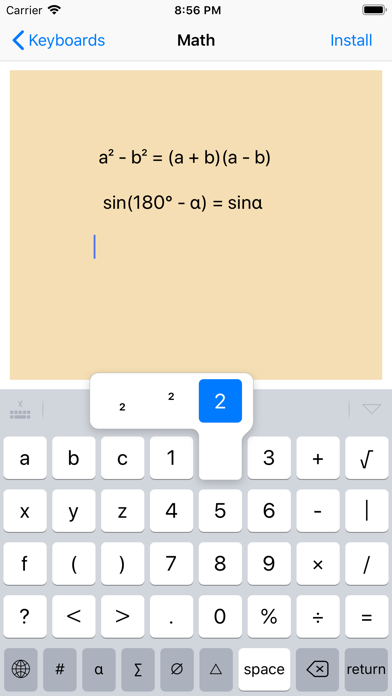
Using xKeyboard, you can create a custom keyboard that includes layout, keys, symbols, and Unicode. The created custom keyboard can be used in text editing software on iPhone and iPad, such as Word, PPT, Excel, notes, and can also be used in text editing boxes.
Built-in Keyboards
- Unicode Keyboard
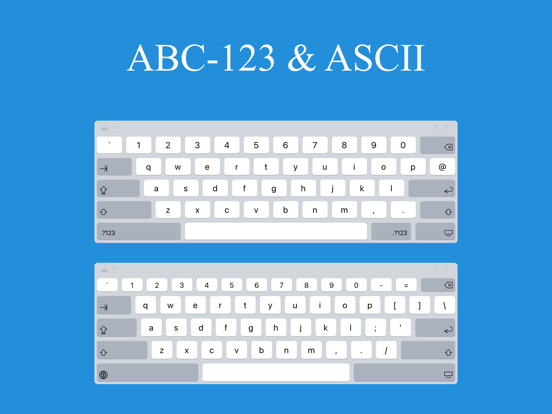
- ABC Keyboard
- ASCII Keyboard
- Digits Keyboard : Binary, Integer, Decimal, Octonary, Hexadecimal
- Collection Keyboard : Symbols, Words, Sentences
- IPA (International Phonetic Alphabet) Keyboard : IPA English ( DJ, K.K. )
- Subjects: Math, Chemistry, Music
Language
- Word Keyboards: English, French, German, Spanish ...
- Code-Word Keyboards: Chinese Simplified, Chinese Traditional ...
Culture
- Astrology Keyboard: 12 zodiac signs, 10 celestial bodies, full set of aspects, elements, moon phases and auxiliary symbols
- I Ching Keyboard
- Chess Keyboard: Chess notation keyboard, chess symbols
- Chinese Chess Keyboard: Chinese chess notation keyboard
- Dice Keyboard
- Mahjong Keyboard
- Playing Cards Keyboard
----------
Custom
- Layout: Custom layouts are better suited for specialized input scenarios.
- Environment: Different environments have different rules
- Certain keyboards can serve as templates, allowing you to build custom keyboards faster and more easily.
----------
Privacy :
We DO NOT COLLECT ANY INFORMATION THAT YOU TYPE using this app.
xKeyboard does not require network access, and Allow Full Access is not necessary.
If users Allow Full Access, the following functions will be enabled:
- Copy, Paste, Cut : these functions will call UIPasteboard APIs.
----------
Tips:
1. If the xKeyboard is not visible in Settings > Keyboards, then reboot the device and reinstall
2. If you could not find xKeyboard when tap globe key : Remove xKeyboard in the system settings, re-add it.
----------
Charging method:
Most of the features of this software are paid for, but before purchasing, we hope that users can know if the software has the desired features and if it is possible to customize a keyboard that the user wants. Therefore, the software can be downloaded for free and allows users to try creating a keyboard before paying.
Terms of Use : https://www.jianshu.com/p/b2a855c32ffe
Privacy Policy : https://www.jianshu.com/p/46e225ffbc59