ShutterCount Pro Mobile
ShutterCount Pro Mobile Summary
ShutterCount Pro Mobile is a mobile iOS app in Photo And Video by DIRE Studio. Released in Nov 2018 (7 years ago). It has 7.00 ratings with a 3.43★ (mixed) average. Based on AppGoblin estimates, it reaches roughly 3.00 monthly active users . Store metadata: updated Sep 30, 2025.
Store info: Last updated on App Store on Sep 30, 2025 .
3.43★
Ratings: 7.00
Screenshots


App Description
*** The original, most feature-rich and only iOS shutter count reader that works with all new Canons ***
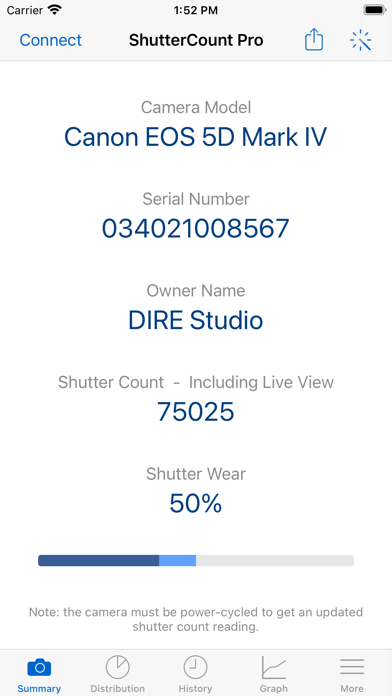
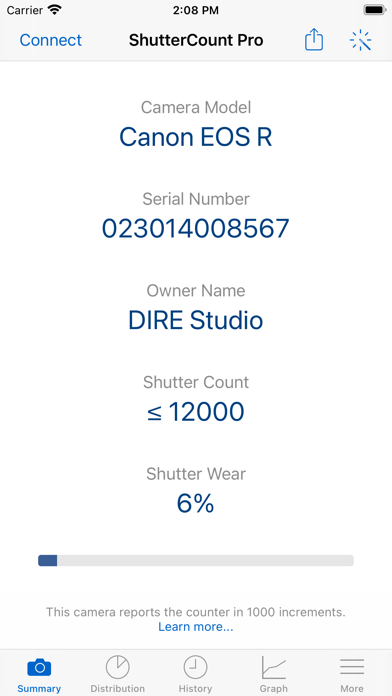
ShutterCount displays the number of shutter actuations (the shutter count) of your Canon EOS, Nikon or Pentax digital camera - see the complete list of certified models below. The shutter count is read directly from USB or Wi-Fi connected Canons, and from image files for Nikon and Pentax cameras. With ShutterCount you can easily check whether a newly purchased camera is really new, or how heavily used a pre-owned item is. And you can save a trip to a service center by doing the reading for yourself.
BASE FEATURES
• Unlimited readings
• Counter for still photos
• Wear indicator with numeric and graphical rated shutter life percentage display
• History logging to track camera usage; logs are stored in CSV format that can be imported into Numbers or Excel for further processing
• Reports in plain text format
• Wizard to guide you through the reading process
LIVE VIEW PACK (included, supports select Canon models)
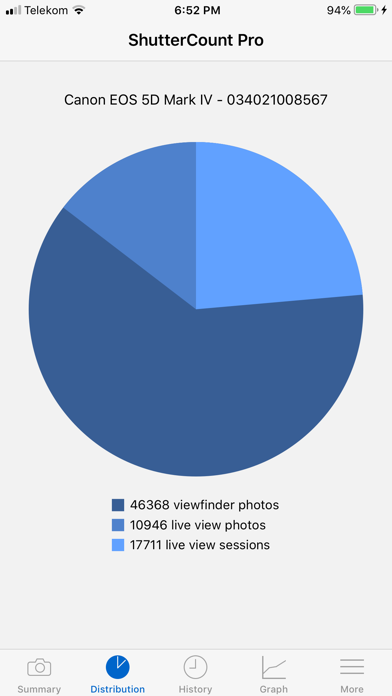
• Counters for live view/videos and electronic shutter
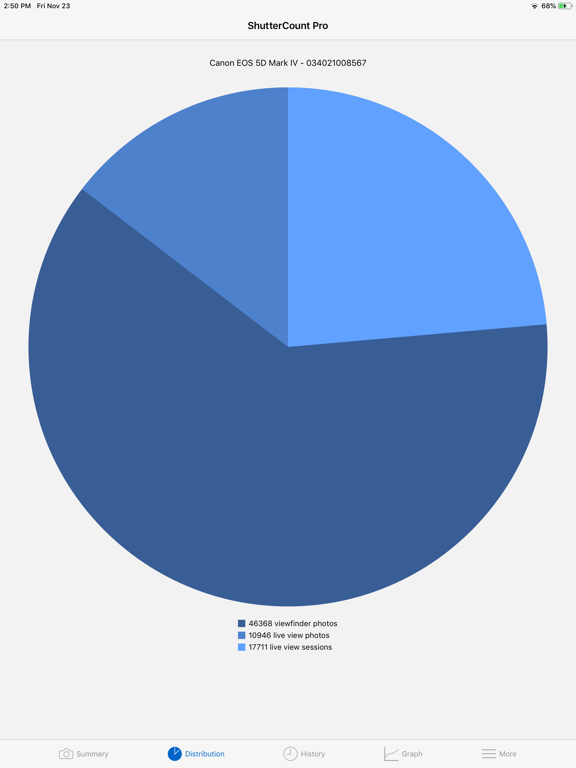
• Distribution chart
PLUS PACK (included)
• Graphing
• Shutter life forecasting (not available for some Nikon and Pentax models)
• History deduplication
• Canon EOS camera management (date/time sync, owner name editing, copyright information setting, outdated firmware warning, IPTC export/import)
• Raw copyright information display and secure personal data wiping for Canons
CERTIFIED CAMERAS
USB connection (requires a Lightning to USB Camera Adapter or a USB-C equipped iPad; Wi-Fi on the camera must be disabled):
• Canon 1D4/1DC/1DX/1DX2/1DX3/5D2/5D3/5D4/5DS/5DSR/6D/6D2/7D/7D2/40D/50D/60D/60Da/70D/77D/80D/90D/100D/200D/200D2/250D/450D/500D/550D/600D/650D/700D/750D/760D/800D/850D/1000D/1100D/1200D/1300D/1500D/2000D/3000D/4000D/8000D/9000D/M6II/M50/M50II/R/R1/R3/R5/R5C/R5II/R6/R6II/R7/R8/R10/R50/R100/Ra/RP; Kiss F/M/M2/X2/X3/X4/X5/X6i/X7/X7i/X8i/X9/X9i/X10/X10i/X50/X70/X80/X90; Rebel SL1/SL2/SL3/T1i/T2i/T3/T3i/T4i/T5/T5i/T6/T6i/T6s/T7/T7i/T8i/T100/XS/XSi
Wi-Fi/Ethernet connection is supported using built-in networking or Canon transmitters on the above cameras having the "EOS Utility" function. The camera must be paired directly with ShutterCount using this function.
Image files:
• Nikon D2H/D2X/D2Xs/D3/D3S/D3X/D4/D4S/D5/D6/D40/D40X/D50/D60/D70/D70s/D80/D90/