SHIFTAR: Work schedule planner

SHIFTAR: Work schedule planner Summary
SHIFTAR: Work schedule planner is a ad-supported, with in-app purchases iOS app in Productivity by Kosuke Hamada. Released in Dec 2018 (7 years ago). It has 2.1K ratings with a 4.76★ (excellent) average. Based on AppGoblin estimates, it reaches roughly 7.9K monthly active users and generates around $<10K monthly revenue (24% IAP / 76% ads). Store metadata: updated Mar 13, 2025.
Recent activity: 2.00 new ratings this week View trends →
Data tracking: SDKs and third-party integrations were last analyzed on Feb 22, 2025.
Store info: Last updated on App Store on Mar 13, 2025 .
4.76★
Ratings: 2.1K
Screenshots


App Description
There's no more need to walk around with a shift schedule table.
This single app lets you manage both your shift work and private schedules.
SHIFTAR is committed to offering an easy-to-understand app that anybody can use with ease.
There are absolutely no complicated actions.
Using the app is intuitive for anyone, as easily as entering a schedule on a paper calendar with a pen.
■ Shift entry features
Filling in shift information, item by item, into a calendar is a big job.
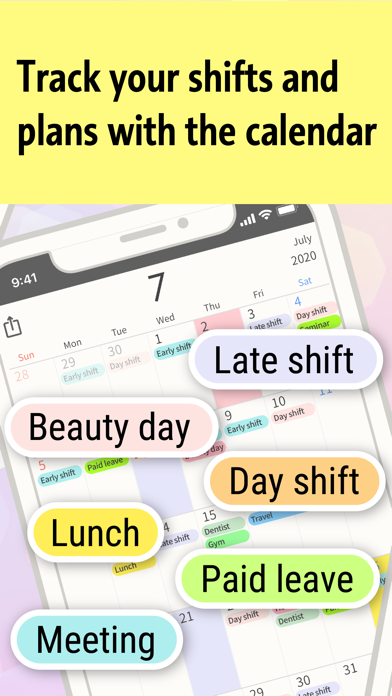
Using SHIFTAR's shift entry features, you just touch the buttons labeled with early shift, late shift, day shift, night shift, and other shift schedule information.
Just like that, you can fill in your calendar with shift schedule information as quickly as a whole month's shifts in just 30 seconds.
■ Salary calculation
How much will you get on your next payday?
How much salary have you earned through today?
SHIFTAR will let you know.
Knowing the amount of your next paycheck may let you increase your shifts, decrease your shifts to have fun, or determine your budget for presents.
Your running total of salary through the current date is updated every day.
Seeing the amount rise day by day may boost your motivation!
■ Sync iCloud Calendar
Do you have schedules entered into other calendar apps?
SHIFTAR supports iPhone's standard calendar (iCloud Calendar).
No settings at all are required to migrate data. You can get started right away.
- - - - - - - - - - - - - - - - - - - - - - - - - - - - -
◇◆ SHIFTAR Premium ◆◇
■ Widgets
Our new widget allows you to quickly check your daily / weekly schedule without having to launch the app.
■ Back up important data
The app's data will be automatically backed up. You will always be able to revert to the last saved data when you encounter an issue.
No need to worry even if:
• your smartphone suddenly dies!
• your data suddenly disappears!
• you delete the app by mistake!
• you get a new smartphone.
■ Add bonus colors
You will be able to choose from a much wider variety of colors that you can set for your events. Enjoy a more colorful and convenient calendar screen with more colors for color coding.
Great for you if:
• you have many shift patterns and are running out of colors...
• you are worried that you may run out of colors in the future...
• you want to use your favorite colors
■ Remov