Calendar Planner - Reminder
Calendar Planner - Reminder Summary
Calendar Planner - Reminder is a with in-app purchases iOS app in Tools by 政 王. Released in May 2020 (5 years ago). It has 56.9K ratings with a 4.83★ (excellent) average. Based on AppGoblin estimates, it reaches roughly 256.7K monthly active users and generates around $10K+ monthly revenue (100% IAP / 0% ads). Store metadata: updated Feb 6, 2026.
Store info: Last updated on App Store on Feb 6, 2026 .
4.83★
Ratings: 56.9K
Screenshots


App Description
Calendar reminders - holiday calendar, holiday calendar
Free of charge, it provides such practical functions as perpetual calendar query, calendar lunar calendar query, holiday and rest arrangement, schedule record, holiday anniversary reminder, etc
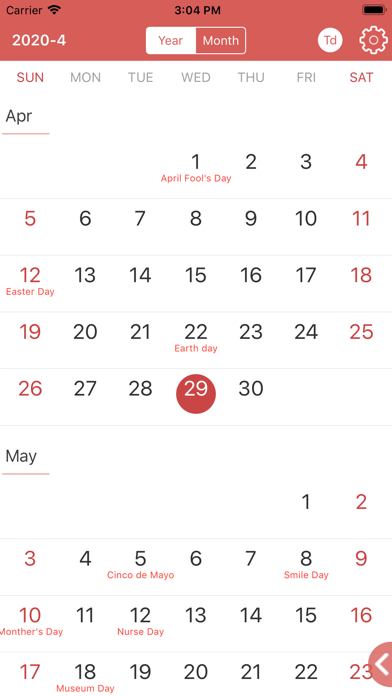
1. Calendar: perpetual calendar, lunar calendar, yellow calendar, festival term, holiday arrangement, lucky day query;
2. Reminders: schedule, birthday reminders, notes, to-do items, anniversary, countdown reminders;
3. Holidays: China, Hong Kong, Macao, Taiwan holidays, weekends, festivals, solar terms, holidays
4. Countdown: New Year Countdown; Spring Festival countdown; birthday countdown;
5. Physiological period recording tool: automatic calculation and recording of aunt's date
6. Reminder of Lunar birthday and anniversary
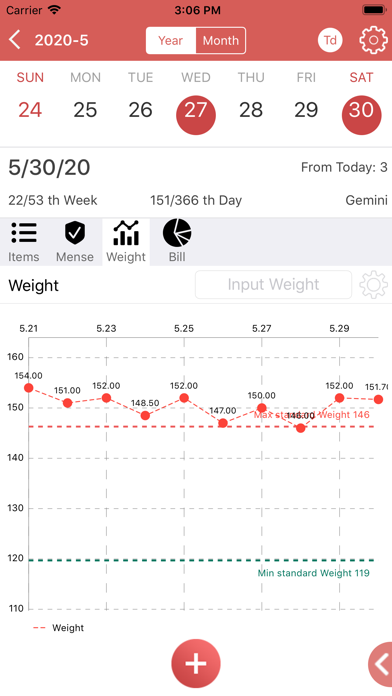
7. Weight record, standard weight calculation, and chart showing weight curve and standard weight
8. Objective management: add objectives, decompose them into sub objectives and achieve them
Project management:
Add project management module, project management, event management, simple and clear.
Simple interface, no advertisement
If you have any ideas or questions, please contact us.
Email:1446263396@qq.com
Terms of use:https://web.aiyohoo.com/support/terms_of_use_en.html