my Raiffeisen

my Raiffeisen Summary
my Raiffeisen is a free iOS app in Finance by Raiffeisen Bank International AG. Released in Dec 2019 (6 years ago). It has 3.1K ratings with a 4.75★ (excellent) average. Based on AppGoblin estimates, it reaches roughly 28K monthly active users . Store last updated Oct 26, 2026
Recent activity: 1.00 new ratings this week View trends →
SDK intelligence: AppGoblin detected 7 development tools(e.g. Google), 2 analytics: product, 1 business tools,and 1 analytics: attribution integrated into my Raiffeisen. View full SDK list →
my Raiffeisen SDKs Summary
my Raiffeisen was last scanned for SDKs on 2026-08-26. Below is the overview of third-party companies detected in the app. The full list of SDKs, permissions and unknowns is available here.
 Google
 Airbnb Engineering
 Rive
Rive nanopb
 Salesforce
 Firebase
 Countly
 Adjust
4.75★
Ratings: 3.1K
Screenshots

App Description
Open personal (from age 14) or business bank account within 20 minutes with selfie in Hungarian
Prepare your ID card and address card – if you’re a business customer, also have your tax number ready.
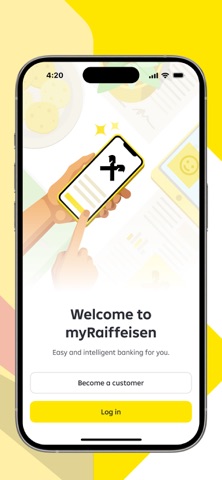
1. Tap on "Become a customer" button
2. Select your account and card, and provide your contact info
3. Accept the terms
4. Take photos of your documents, scan the NFC chip of your ID card
5. Take a selfie and sign the contract with an SMS code
6. Log in with the provided code and start using your account
If you haven’t turned 18 yet, here’s what you need to do:
1. Ask your parents to start the application from their app
2. Follow these steps:
* Click the "Become a customer" button
* Select the option that matches your age
* Accept the terms
* Take photos of your documents, scan the NFC chip of your ID card
* Take a selfie and sign the contract with an SMS code
3. Your parents will also need to sign the contract to complete the account opening
4. Log in with the provided code and start using your account
-----------
TRACK YOUR SPENDINGS
Want to get a clear overview of your finances?
We created a space in the app called Analytics, where you can quickly review your expenses. Thanks to automatic categorization – which you can modify – and grouping of expenses, you’ll soon know what and how much you spend.
-----------
FIND ALL YOUR PRODUCTS IN ONE PLACE
Whether it’s bank accounts, debit and credit cards, fixed deposits, or investments, you’ll find everything here in one place.
You can:
-share your account details with others
-easily change card limits whenever you want
-create term deposit, terminate or withdraw it
-activate, suspend or unlock your cards
-check your overdraft limit
-set up recurring investments
-----------
YOU GET THINGS DONE WITH LESS EFFORT WITH THESE FUNCTIONS
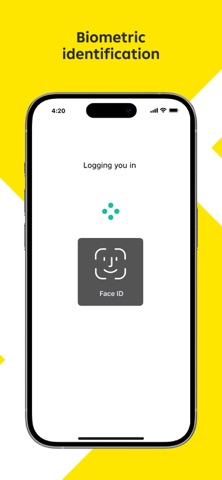
-Login and authorize easily using TouchID or FaceID or PIN code
-Make transfer even to email, mobile number, tax number or ID are liked to bank accounts.
-Manage card and transaction limits
-Pay-off your credit card
-Apply for loans, overdraft, credit card
-You can view, create and delete existing Standing Orders.
-You can manage Term Deposits.
-You can view, create and delete Direct debits.
-The items waiting for collection above the limit you set can be approved or rejected.
-Get special offer to exchange currencies between ow