TC Food POS system
TC Food POS system Summary
TC Food POS system is a ad-supported, with in-app purchases iOS app in Business by TowmsChang. Released in Jan 2019 (7 years ago). It has 2.00 ratings with a 3.00★ (mixed) average. Based on AppGoblin estimates, it reaches roughly 5.00 monthly active users and generates around $<10K monthly revenue (27% IAP / 73% ads). Store last updated May 27, 2022
TC Food POS system SDKs Summary
App not yet scanned for SDKs.
3★
Ratings: 2.00
Screenshots

App Description
- Applicable to the POS system of the catering industry + business statistics.
- Can be operated offline, can manually send daily reports to the network host (optional date range, and can encrypt ZIP compression package), the supervisor can log in to the network host to download the ZIP archive, and the report file contains the order CSV file and Charts for the selected date, it can be viewed on a computer.
- The backup file can be manually transferred to the network host (encryptable ZIP archive), the supervisor can log in to the network host to download the ZIP archive, and download the complete restore data to another iPad.
- With personnel management system, distinguish levels, and can set a variety of operating permissions.
- It has a record of automatic writing, operation of important functions, and can be viewed by date.
- Support for Bluetooth connectivity and thermal printing, can set multiple printing information, can print receipts and waiting number.
- Cashier Box Amount Setting, the amount is linked to the order amount, and the access rights are set.
Create product :
- Can be displayed by category.
- Can add up to 6 pictures, take photos or enter them from the photo gallery.
- Multiple specification options can be added to the product.
- Each item can be set with a separate discount and price.
- The discount promotion date can be set.
- The name, number, and multi-specification options can be modified.
- With the function of copying products, quickly build products.
Order :
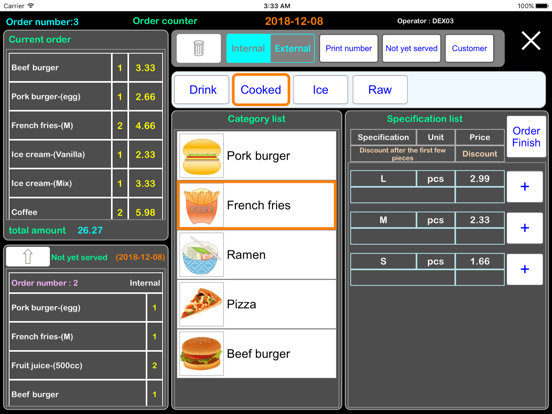
- Products are displayed by category list.
- Click the product to display a multi-specification list.
- The multi-specification list shows the specifications, unit price, discounts for the sub-products.
- Can add other specifications(Go to the settings page and add additional spec options.)
- The list of not yet served, shows the list of meals for individual customers.
- The customer name of the meal can be added and automatically added to the customer list.
- Customers who are already on the customer list can quickly select.
- Can delete the single product for the now order.
- The list of not yet served can be set the table number (for internal use).
- The list of not yet served, can be cancelled the wrong order.
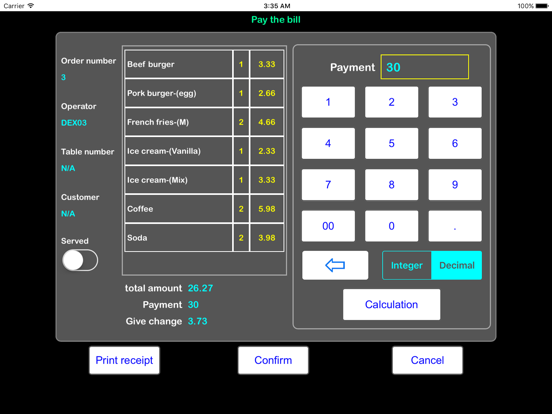
- The discounted price of each item can be automatically calculated and added up.
- The list of not yet served, Can display meal number, list, customer, table num