FilterMorph AUv3 Audio Plugin

FilterMorph AUv3 Audio Plugin Summary
FilterMorph AUv3 Audio Plugin is a mobile iOS app in Music And Audio by 4Pockets.com. Released in Dec 2018 (7 years ago). It has 16 ratings with a 4.44★ (good) average. Based on AppGoblin estimates, it reaches roughly 23 monthly active users . Store metadata: updated Sep 8, 2025.
Store info: Last updated on App Store on Sep 8, 2025 .
4.44★
Ratings: 16
Screenshots

App Description
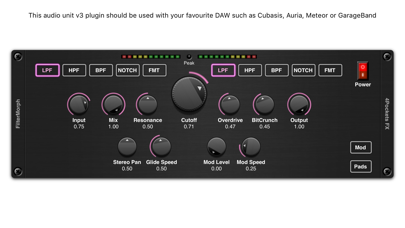
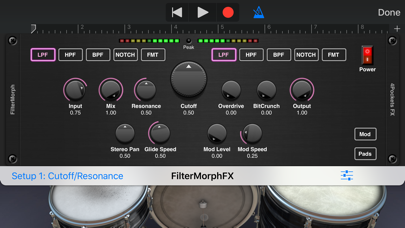
This is a AUv3 compatible audio effect which can be used as plugin with your favourite DAW such as Cubasis, Meteor, Auria or GarageBand and NOT a standalone app. It supports a modern graphical interface and presets with stereo meters for monitoring signal levels.
The FilterMorph is one of our most fun, interesting, experimental and yet incredibly useful AUv3 plugins to date. It takes the concept of a traditional audio filter and pairs it with overdrive, bit crunching and tape delay to perform some incredibly neat real-time or beat synced automation effects.
At the heart of the effect are a set of transitional filters (low pass, high pass, band pass, notch and formant filter) which you can assign to the Cutoff Control. The twist here is that you can assign different filters to each end of the frequency spectrum and morph between them to achieve a much more interesting results. So for example you can use a LP filter for low frequencies and a BP filter for high frequencies, and the frequency dial will smoothly transition between the two.
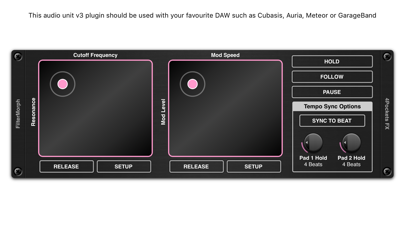
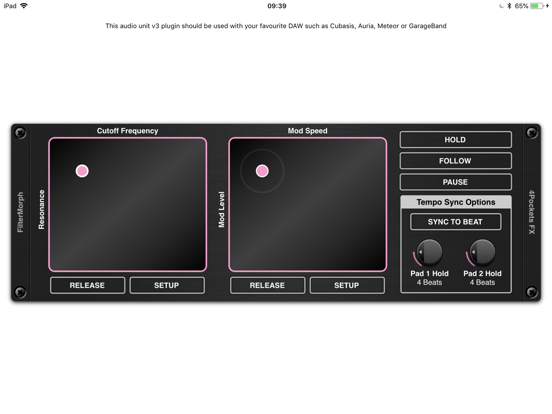
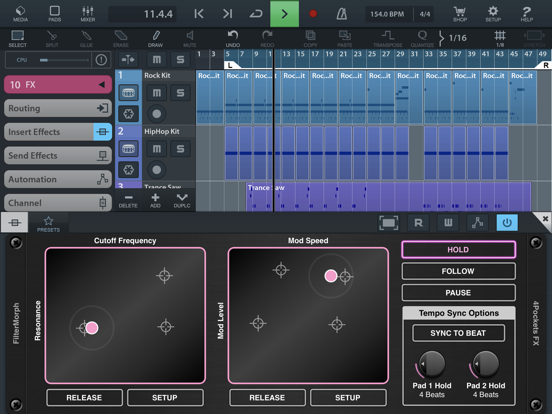
The main interface of the effect scrolls to reveal a set of two finger touch-pads, each of which responds to one of more fingers. Each pad can be assigned two of several parameters, one to the vertical axis, and the other to the horizontal. This allows you to control up to 4 knobs in real-time using only two fingers. A glide control allows you to control the rate of change so you can create those gentle sweeps without the effort.
But it doesn't stop there... we also include effects such as overdrive, bit shifter and tape delay and these parameters can also be freely assigned to the finger pads. A configurable modulation section also allows you to automate panning or vibrato and assign various envelope shapes.
Hold multiple fingers down on a pad and the play cursor will fly between your fingers at a specified speed. Press the HOLD button and you can then release your fingers and have them playback a set pattern. Press the SYNC TO BEAT button and the play cursor will move from one point to another at set beat intervals. Use the FOLLOW feature to follow finger movements etc.
The build in Tape Delay allows control over delay time, feedback and level, but the advantage of this type of delay is you get the warping pitch shifting effects as you change the delay time. This allows for some very interesting effects, especially when