Pablo Brush - Art Your Photo

Pablo Brush - Art Your Photo Summary
Pablo Brush - Art Your Photo is a ad-supported, with in-app purchases iOS app in Photo And Video by Hikaru Tsuyumine. Released in Feb 2019 (7 years ago). It has 217 ratings with a 4.35★ (good) average. Based on AppGoblin estimates, it reaches roughly 166 monthly active users and generates around $<10K monthly revenue (22% IAP / 78% ads). Store metadata: updated Jan 12, 2026.
Store info: Last updated on App Store on Jan 12, 2026 .
4.35★
Ratings: 217
Screenshots

App Description
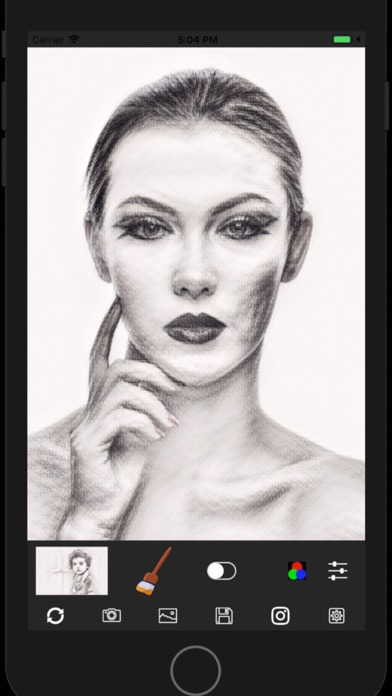
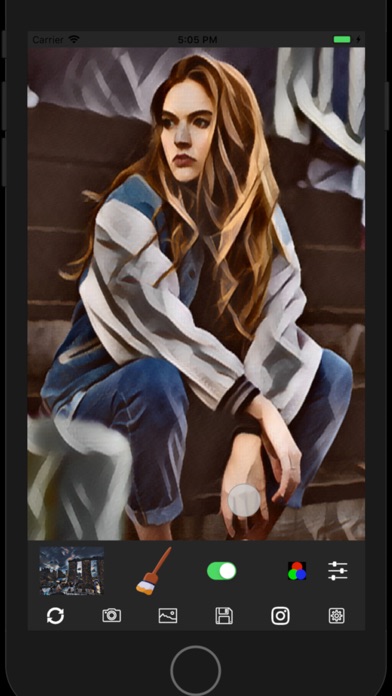
Pablo Brush makes your photo images become Art. It's extremely easy to use. Just take a photo on your iPhone, choose one of styles, press a brush icon on the main screen, then you will get the artistic photo instantaneously.
You can adjust color, contrast and etc, and post it on Instagram by simple operations. You can choose the style from more than 20 styles including pencil, water color, abstract arts in addition to masterpieces by historical great artists. Of course, you can save stylized photo images in Camera Roll on your device.
After the initial installation, the free trial period starts. You can access full features during the period. Once the free trial period finishes, you will see the in-app purchase screen.
The price is about $2 to continue to use the app. As It's a one time purchase, NO additional cost such as monthly subscription fee is required.
Feature overview
- It has more than 20 styles including styles of masterpieces by historical artists such as Picasso, Renoir, Gogh. In addition, some well known Japanese artists such as Hiroshige Utagawa, Taro Okamoto, Yayoi Kusama, and Hokusai Katsushika are included.
- In addition to the artworks of well known artists, you can also choose styles of pencil drawing, water color, ink painting and etc.
- The color independent style transfer can be used. It allows while you retain the color of your photo image and apply other styles such as brush stroke of the artwork.
- You can adjust contrast, brightness, mixing ratio, RGB values of the stylized images to make a final image.
- The final images can be posted on Instagram or saved in the photo library on your iPhone
- The main part of this app uses Neural Style Transfer , one of AI technologies and is implemented on the latest CoreML
** Some icons on the main screen are derived from Icons8 (https://icons8.com)