One Scan: PDF Doc Scanner

One Scan: PDF Doc Scanner Summary
One Scan: PDF Doc Scanner is a free, with in-app purchases iOS app in Business by App Rover. Released in Jan 2019 (7 years ago). It has 58K ratings with a 4.62★ (excellent) average. Based on AppGoblin estimates, it reaches roughly 261K monthly active users and generates around $<10K monthly revenue (100% IAP / 0% ads). Store last updated Oct 7, 2026
Recent activity: 1.00 new ratings this week View trends →
SDK intelligence: AppGoblin detected 3 development tools(e.g. Google), 1 ad networks, 1 analytics: attribution,and 1 analytics: product integrated into One Scan: PDF Doc Scanner. View full SDK list →
One Scan: PDF Doc Scanner SDKs Summary
One Scan: PDF Doc Scanner was last scanned for SDKs on 2026-09-23. Below is the overview of third-party companies detected in the app. The full list of SDKs, permissions and unknowns is available here.
 Google
 nanopb
 OpenID
 Facebook
 AppsFlyer
 Firebase
4.62★
Ratings: 58K
Screenshots


App Description
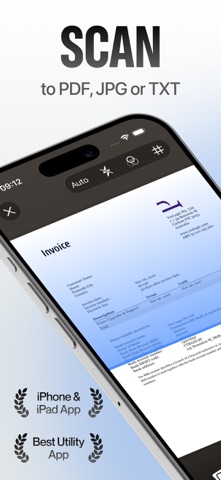
One Scan turns your iPhone and iPad into a powerful AI scanner. Point, tap, done: documents, receipts, ID cards, books and photos become crisp, searchable PDFs in one tap. Then sign, edit, organize and share them in seconds.
Everything you expect from a top scanner app, without the clutter. No settings to fiddle with, no learning curve: One Scan does the hard work for you.
SCAN ANYTHING IN ONE TAP
- Automatic edge detection, perspective correction and shadow removal
- Batch mode: capture dozens of pages in a row and get a single multi-page PDF
- Smart filters: color, grayscale, black & white, whiteboard and auto-enhance
- Dedicated modes for documents, ID cards (front and back on one page), passports, business cards, books, receipts and photos
- Import from Photos, Files, Mail or any app with the Share Sheet
- Built-in QR code and barcode reader
AI THAT DOES THE BORING PART
- OCR text recognition in 100+ languages: copy, search and export the text of any scan
- AI summaries and instant answers: ask a question about a contract, an invoice or a report and get the answer
- Smart naming and auto-sorting: One Scan reads your document, names it and files it for you
- Data extraction: pull dates, totals and vendors from receipts and invoices, ready to export
- One-tap translation of scanned text
SIGN AND EDIT PDFS
- Sign with your finger, Apple Pencil or a saved signature; add initials, dates and text fields
- Fill out forms, annotate, highlight, draw, add stamps and watermarks
- Reorder, rotate, delete, merge and split pages
- Compress files, choose the page size (A4, Letter…) and the margins
- Export as PDF, JPG, PNG, TXT or Word
ORGANIZE AND FIND EVERYTHING
- Folders, tags and favorites
- Full-text search inside your scans, powered by OCR
- iCloud sync keeps your library up to date on iPhone and iPad
- Save to Files, iCloud Drive, Google Drive, Dropbox or OneDrive
- Share by Mail, Messages, AirDrop or WhatsApp, or print with AirPrint
PRIVATE BY DESIGN
- Your scans are processed on your device and stay in your library. No account required
- Lock the app and individual documents with Face ID, Touch ID or a passcode
- Password-protect PDFs before you share them
- No ads, and we never sell your data
MADE FOR IPHONE AND IPAD
- Full iPad experience: Split View, drag and drop, keyboard shortcuts and Apple Pencil
- Home Screen widgets, Siri Shortcuts and a File