OkTalk: Keyboard Translator

OkTalk: Keyboard Translator Summary
OkTalk: Keyboard Translator is a ad-supported, with in-app purchases iOS app in Travel And Local by Zapps Mobi. Released in Feb 2019 (7 years ago). It has 7.7K ratings with a 4.47★ (good) average. Based on AppGoblin estimates, it reaches roughly 13.2K monthly active users and generates around $<10K monthly revenue (26% IAP / 74% ads). Store metadata: updated Feb 8, 2023, version 1.
Recent activity: -1 new ratings this week View trends →
Data tracking: SDKs and third-party integrations were last analyzed on May 28, 2026.
Store info: Last updated on App Store on Feb 8, 2023 (version 1).
SDKs, Trackers & Permissions
OkTalk: Keyboard Translator was last scanned for SDKs 2026-05-28. Below is the overview of third party companies detected in the app. The full list of raw SDKs, app permissions and unknown SDKs is available here.
AppGoblin saw OkTalk: Keyboard Translator uses 5 Development Tools
 nanopb
 Reachability
 Alamofire
 Starscream
AppGoblin saw OkTalk: Keyboard Translator uses 2 Ad Networks
 Google
 Facebook
AppGoblin saw OkTalk: Keyboard Translator uses 1 Analytics: Product
 Firebase
App Details
App Store
Ads & App-Ads.txt
AppGoblin SDK Scans
4.47★
Ratings: 7.7K
Screenshots


App Description
OkTalk Translator is a handy translator for travels, business and study. You will get instant translation to 110 languages by Voice, Text, Camera or Keyboard. This powerful combination will give you an opportunity to feel confident in every corner of the world.
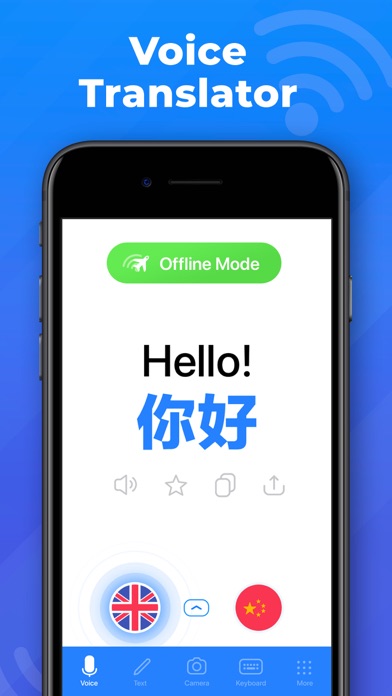
* Voice Translation
Translate conversations and separate phrases by Voice recognition function. Use text translations for words, sentences and long texts.
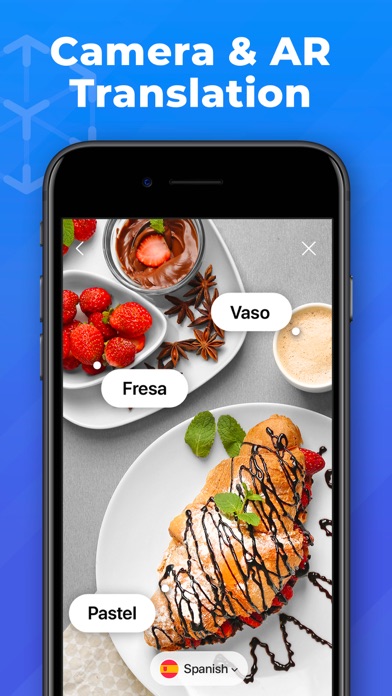
* Camera Translation
Bring the camera on the object and find its translation to any of language. Camera recognizes as objects as well as text on the objects: menus, signboards, magazines etc.
* AR Translation
Translate the world around you with augmented reality.
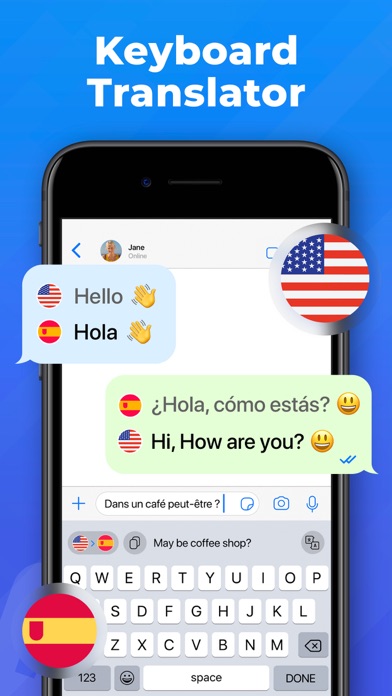
* Translator Keyboard
Now you can translate right in your Messenger or email! No need for additional jumping over tabs and apps. Write in your native language and send in any language just clicking one single button on the keyboard!
* Offline Mode
No Internet connection? No problem! Text translations are available in the offline mode.
* Translation Widget
Set up widget on your iPhone. Easy and fast access to the translations without even opening the app.
* Apple Watch
Install Widget in your Apple Watch and get translations even faster and in more comfortable way!
* Phrasebook
Over 2000 most used phrases are included.
* Siri Shortcuts
Add shortcuts to Siri to get your translations even faster.
How can you use OkTalk Translator?
Apply a smart assistance in café, restaurants, shop, pharmacy, taxi and hotel booking during your trips. Use OkTalk as personal facilitator having small talks and asking for direction. Translate boards and signs through camera, get help from locals using simultaneous voice translation.
Here is a list of available languages for translate: Afrikaans, Albanian, Arabic, Armenian, Azerbaijani, Basque, Belarusian, Bengali, Bosnian, Bulgarian, Catalan, Cebuano, Chichewa, Chinese (Simplified), Chinese (Traditional), Croatian, Czech, Danish, Dutch, English, Esperanto, Estonian, Filipino, Finnish, French, Galician, Georgian, German, Greek, Gujarati, Haitian Creole, Hausa, Hebrew, Hindi, Hmong, Hungarian, Icelandic, Igbo, Indonesian, Irish, Italian, Japanese, Javanese, Kannada, Kazakh, Khmer, Korean, Lao, Latin, Latvian, Lithuanian, Macedonian, Malagasy, Malay, Malayalam, Maltese, Maori, Marathi, Mongolian, Myanmar (Burmese), Nepali, Norwegian, Persian, Polish, Po